Onboarding Guide
Complete setup instructions for Clinics, Pharmacies, Doctors, and Patients on the Scripted platform.
Access the platform at: https://getscripted.io
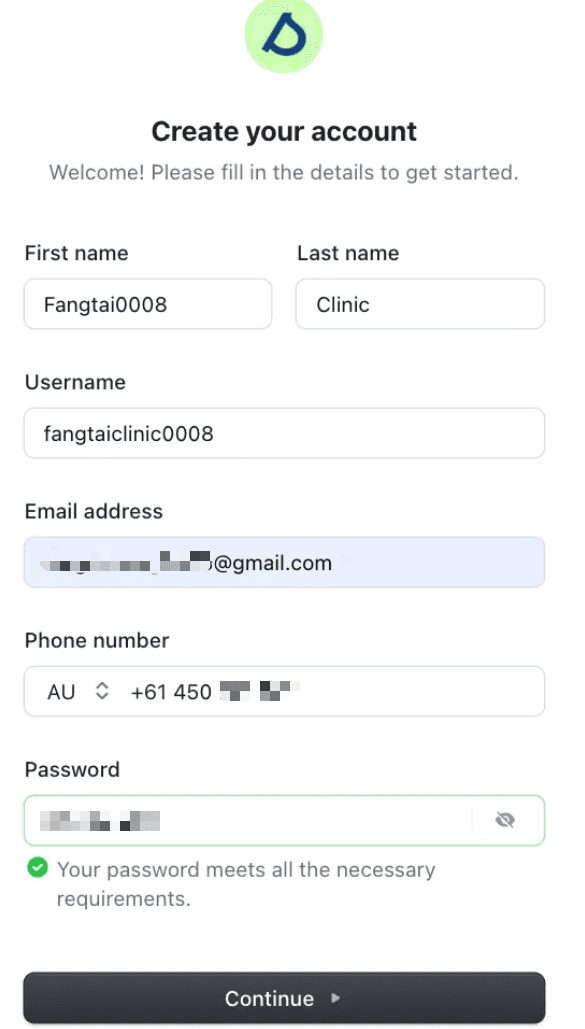
Register Clinic
Navigate to the registration page and create your clinic account.
Setup Typeform
Create your clinic organization and configure the Typeform for patient intake:
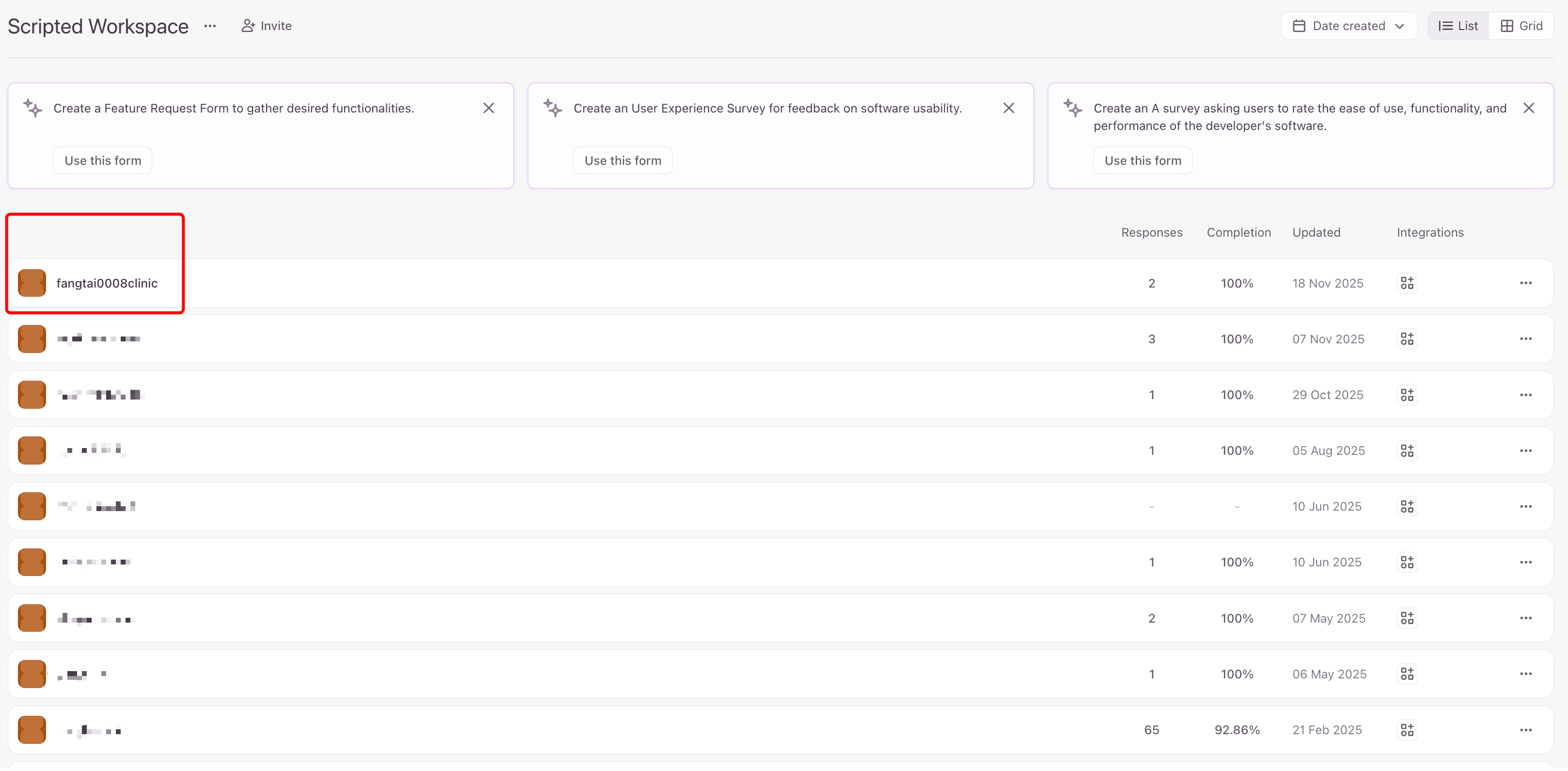
- Create Clinic Organization and click this organization to move forward
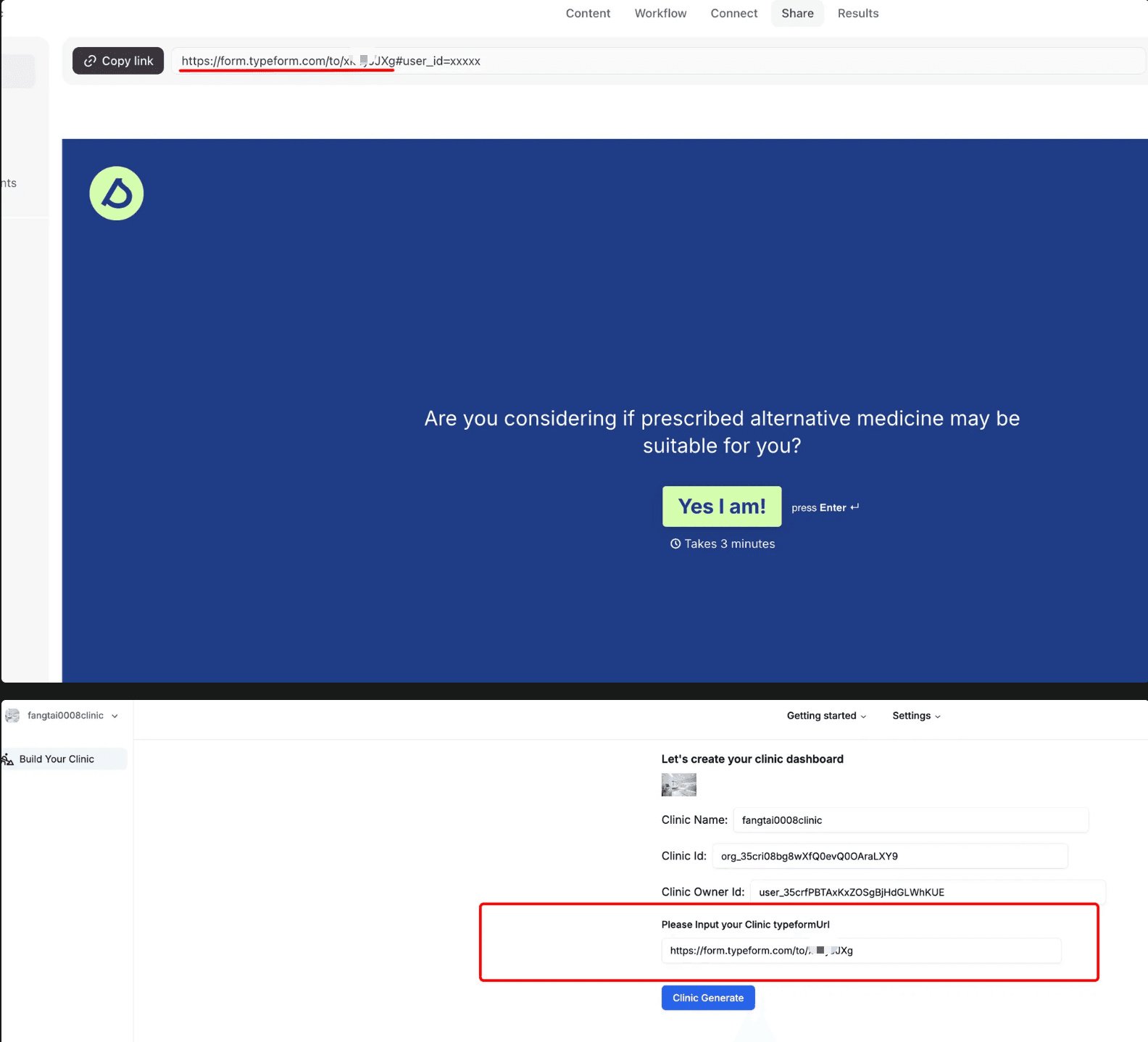
typeformName= Clinic Slug Name (e.g.,fangtai0008clinic)
Configure Button Link URL:
Endings part → select End Screen type → trigger Button link:
https://www.scriptedtech.com/[clinic-slug]/patient/dashboardAdd Webhooks (Connect part):
https://scripted-clinic-v2.vercel.app/api/typeform-webhookRequired Content Keywords:
Your Typeform questionnaire MUST include fields with these keywords:
- •
medicare number/Medicare Card Number - •
DVA card number/veterans affairs number(optional) - •
allergies(optional with code protection) - •
current conditions(optional with code protection) - •
current medicine/current medication - •
date of birth - •
sex at birth - •
IRN(optional)
Copy the Typeform link (without #user_id=xxxxx) to the clinic registration dashboard.
Set up Clinic Calendly
Follow the instructions in Clinic Dashboard → Settings → Calendly Steps
Calendly Developer Portal:
developer.calendly.com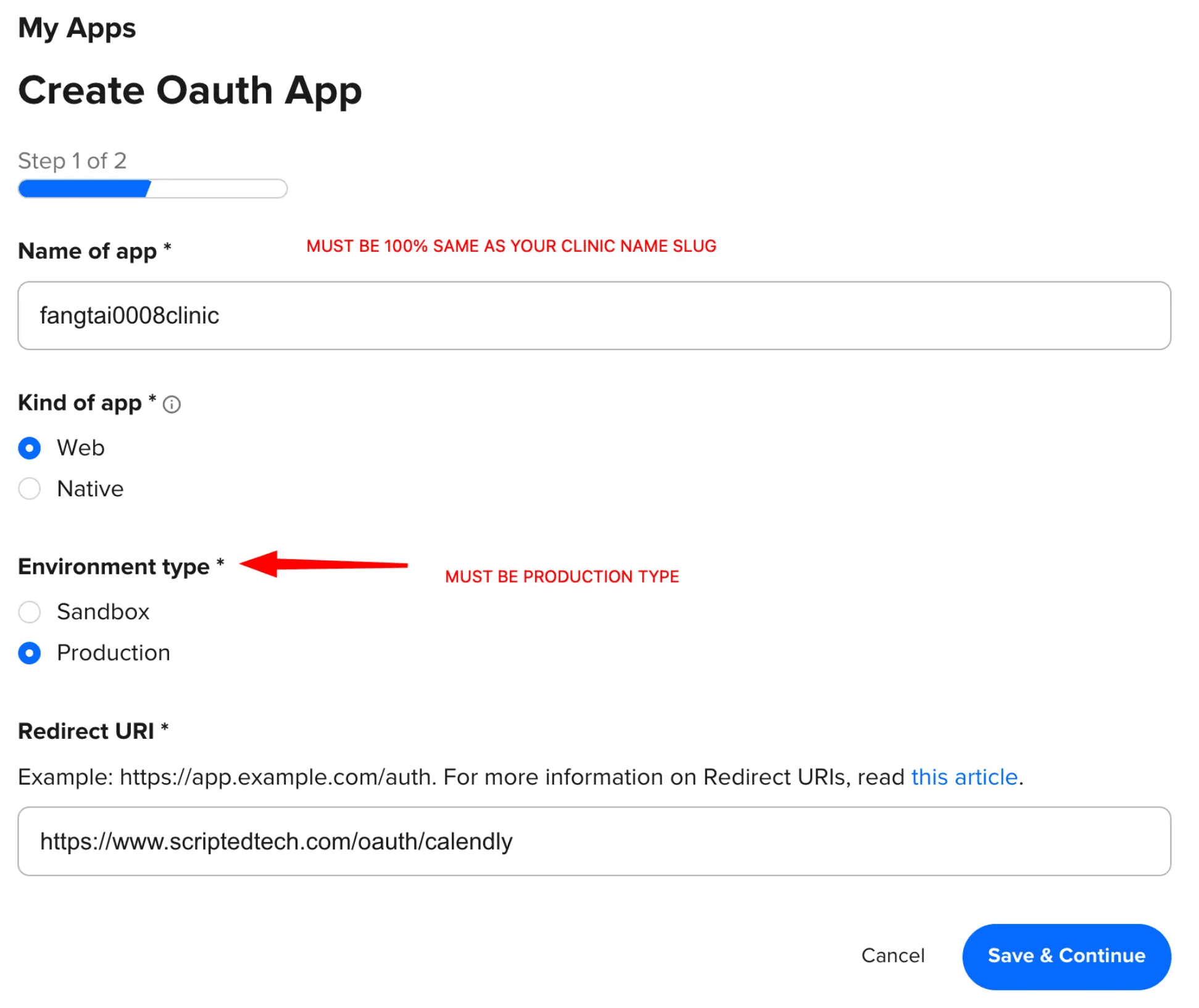
⚠️ SAVE ALL YOUR CREDENTIALS:
- • Client ID
- • Client Secret
- • Webhook signing key
Copy & paste your Client ID and Client Secret into your Clinic Dashboard Calendly Settings page.
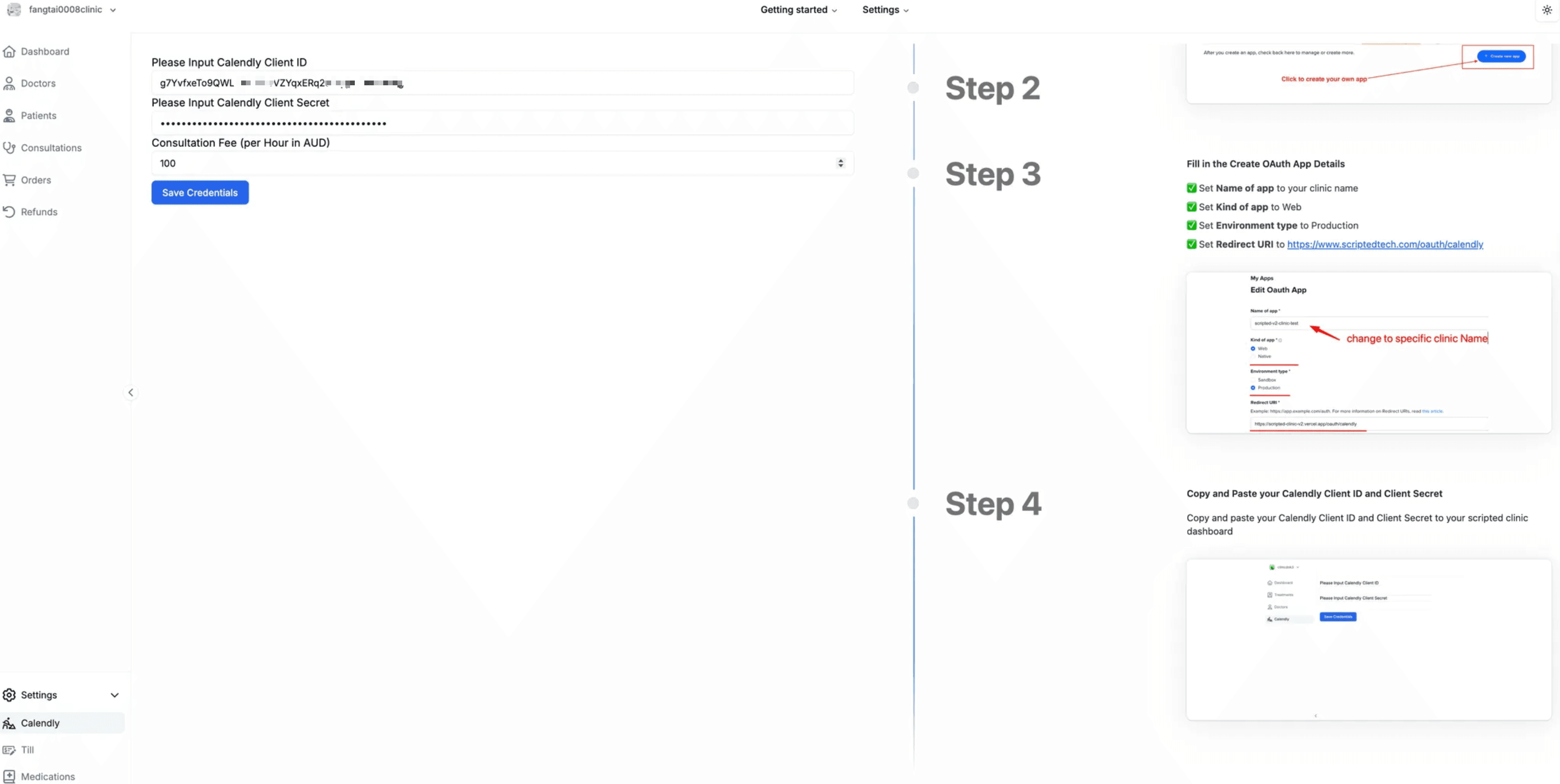
Consultation Fee (per Hour in AUD):
This is your consultation fee/hour rate. System automatically calculates based on duration:
- • 15 mins → 100 ÷ 4 = $25 AUD
- • 30 mins → 100 ÷ 2 = $50 AUD
- • 45 mins → $75 AUD
- • 60 mins → $100 AUD
Setup Clinic Till Payment
Payment System Structure:
- Clinic Till Payment: Responsible for consultations payment
Link format (without /api/v3):https://test-gateway.tillpayments.com - Pharmacy Till Payment: Responsible for medications (OTC/Prescription) payment
Link format (with /api/v3):https://test-gateway.tillpayments.com/api/v3
test- prefix.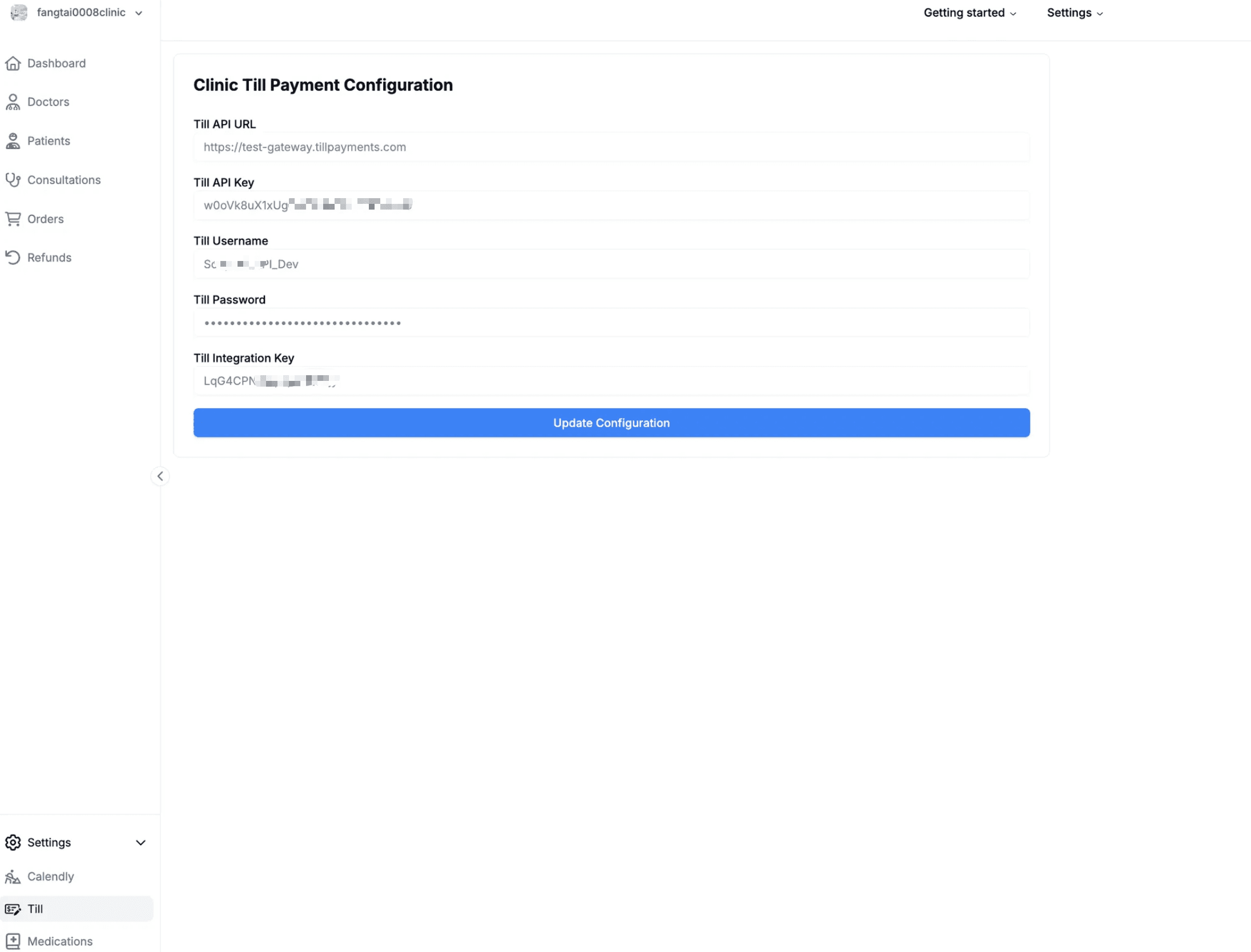
Access the platform at: https://getscripted.io
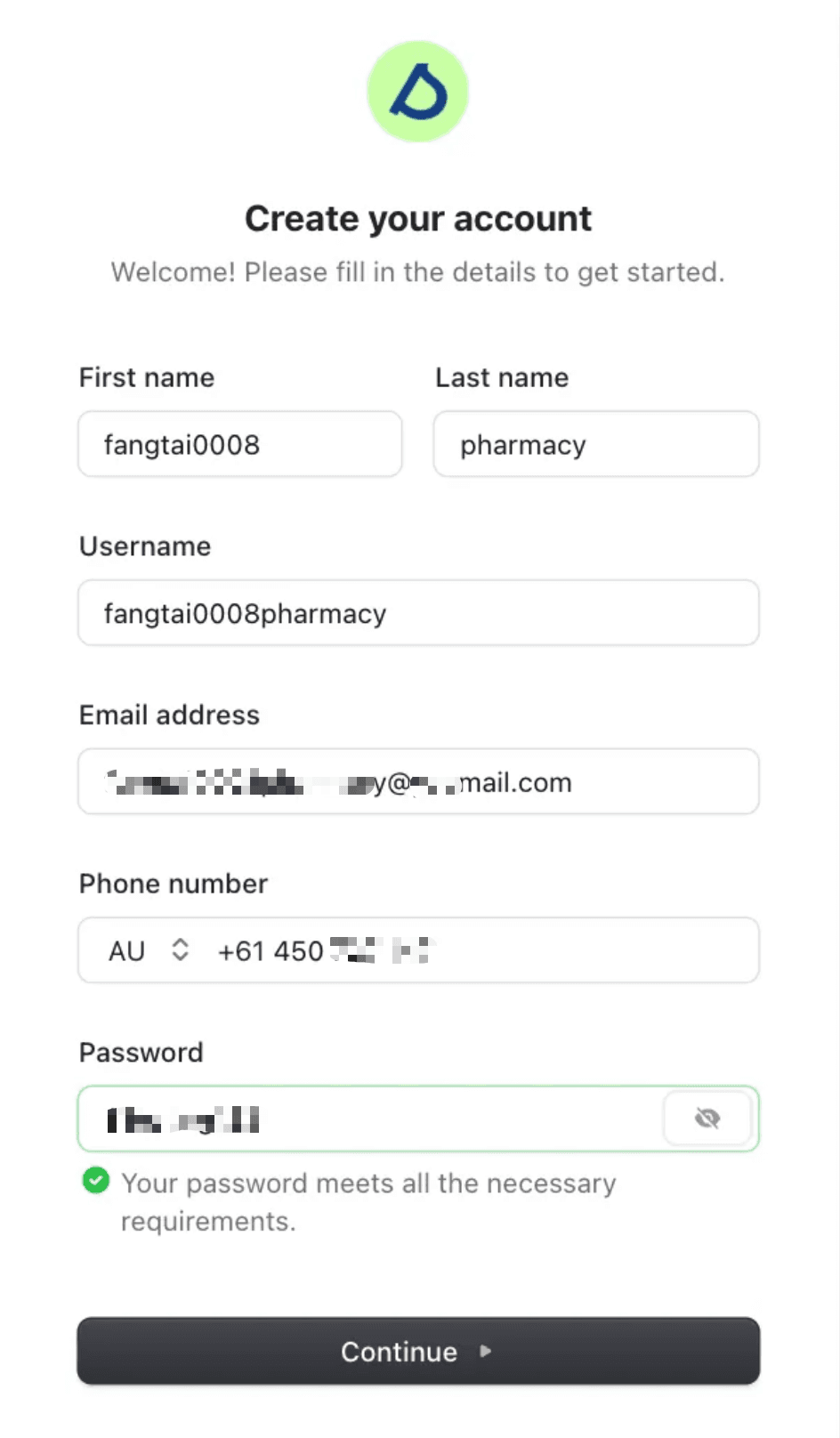
Register Pharmacy
Navigate to the registration page and create your pharmacy account.
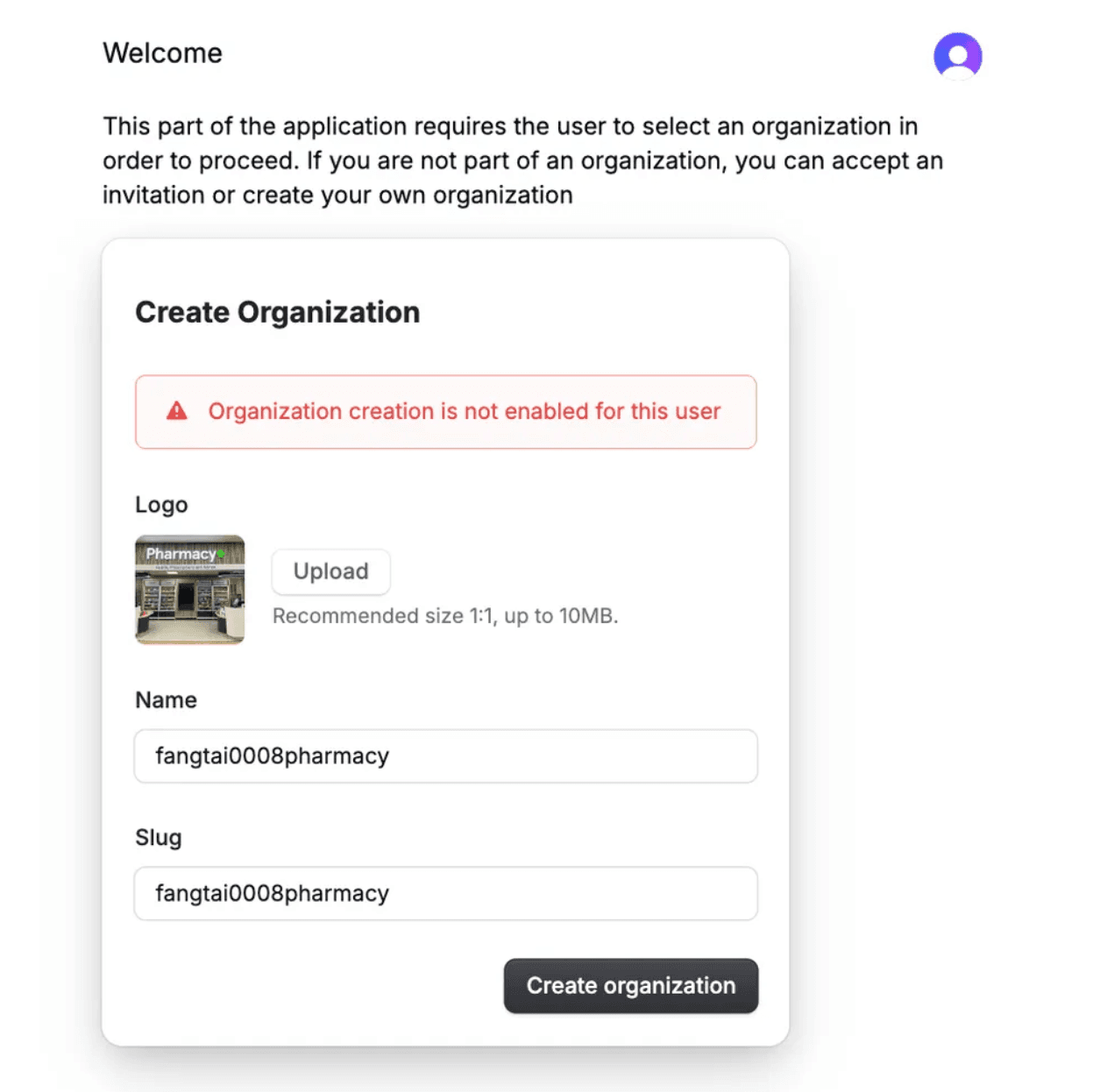
Wait for Approval
Sign out and wait for Scripted Admin approval. Once approved, you can log in and create your pharmacy.
Scripted Admin Approval (Internal)
For internal Scripted members, follow the pharmacy admin invitation process:
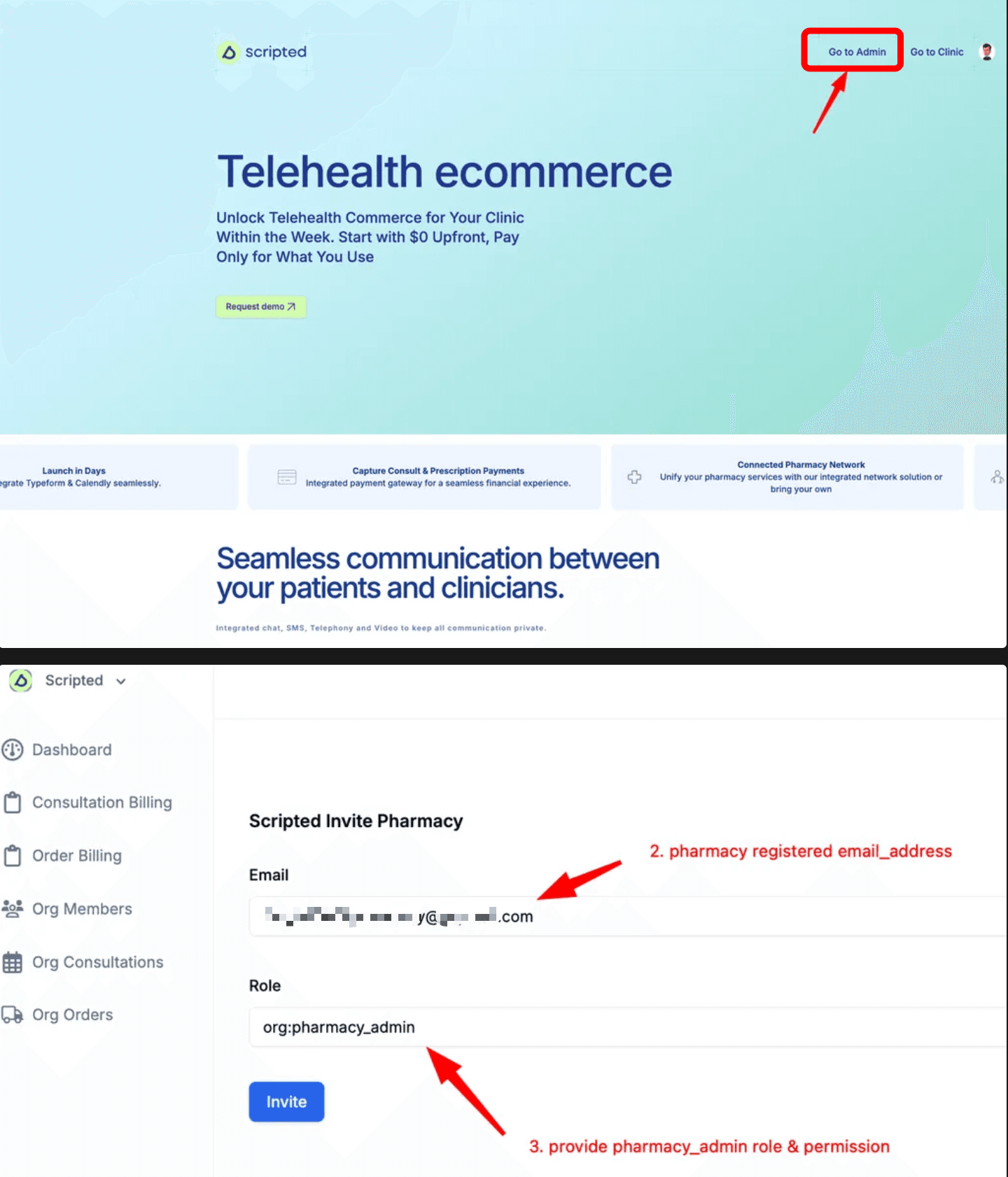
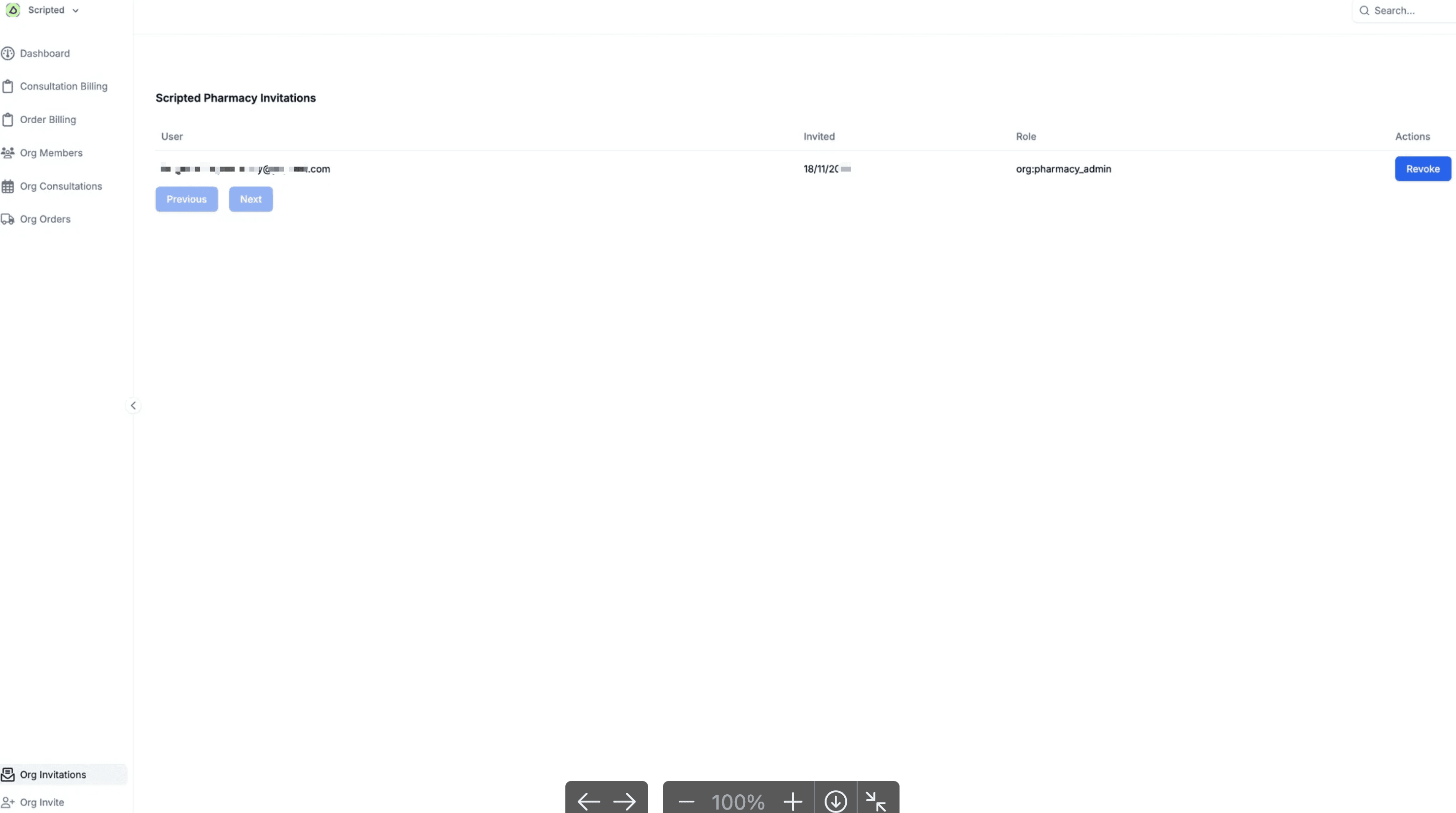
Click "Invite" once. When you go back to Org Invitations Page, you'll see the invitation has been sent (can be revoked at any time).
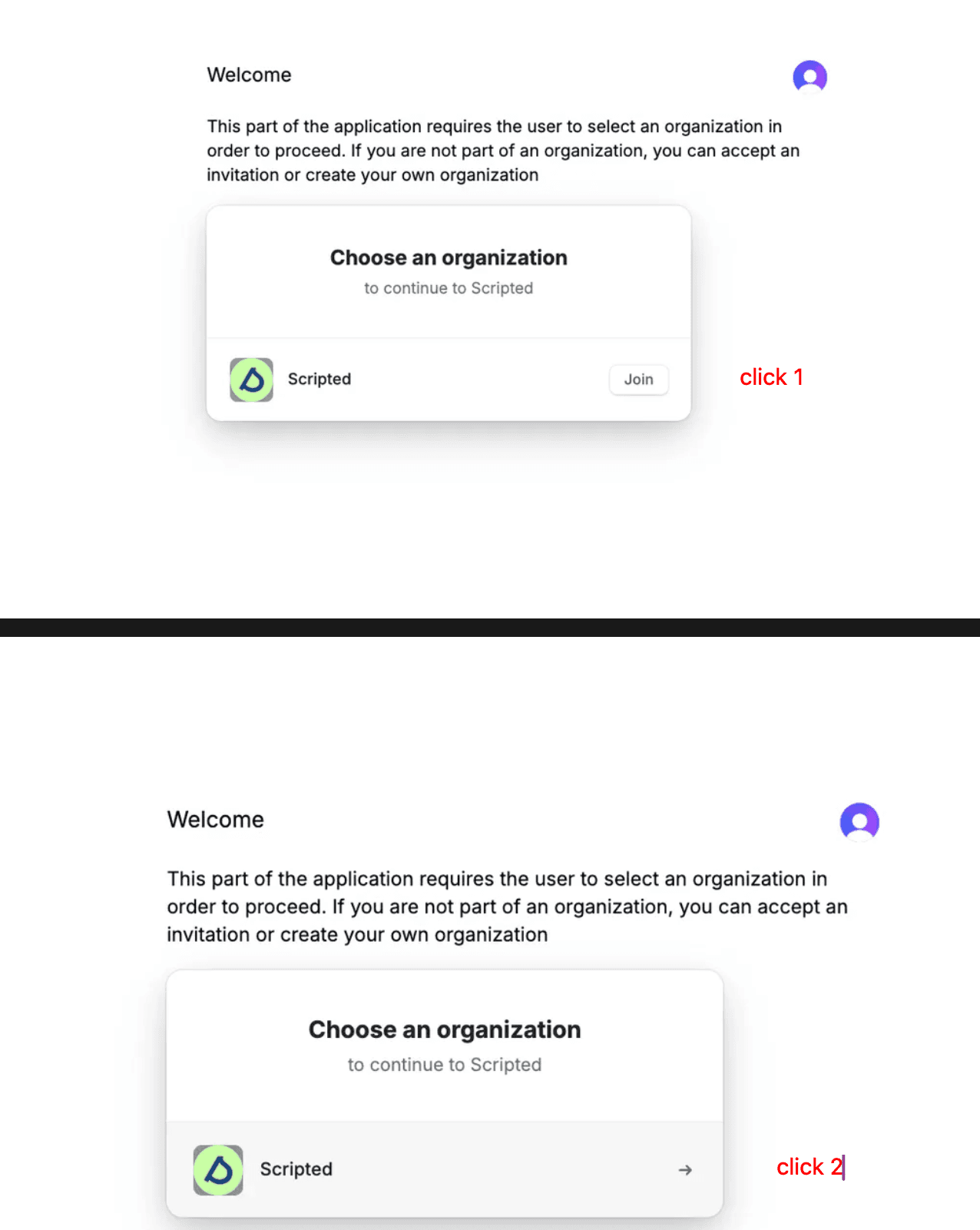
Create Pharmacy Organization
- Login to your pharmacy account at https://getscripted.io
- Click "Go to Pharmacy"
- Join the Scripted organization first, then click to enter it
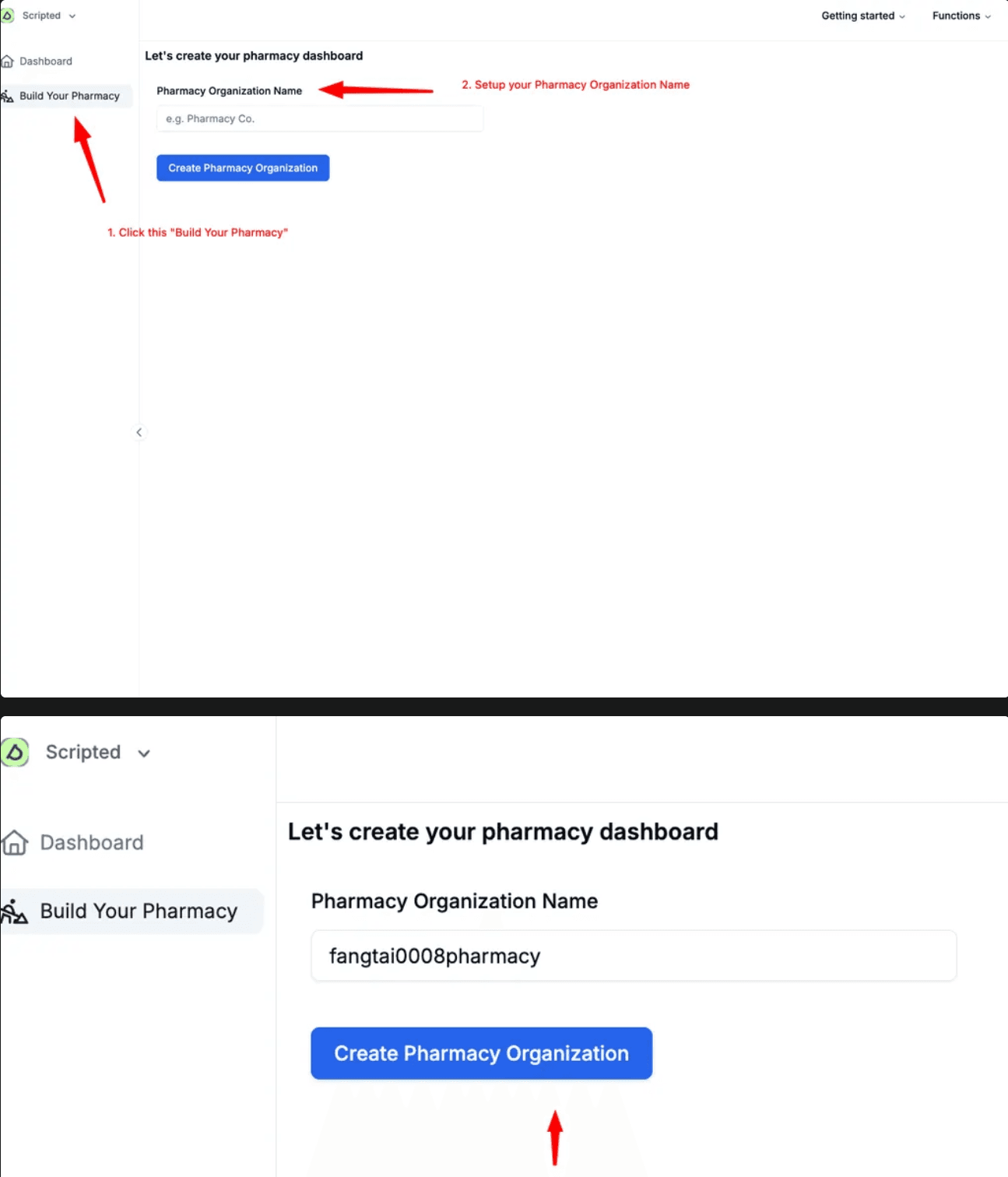
Organization Naming:
Pharmacy Org name auto-transforms to slug format:
- •
SV2 Pharmacy→sv2-pharmacy - • All uppercase → lowercase
- • All whitespace → hyphen (-)
Setup Pharmacy Till Payment
Use the link format WITH /api/v3:
https://test-gateway.tillpayments.com/api/v3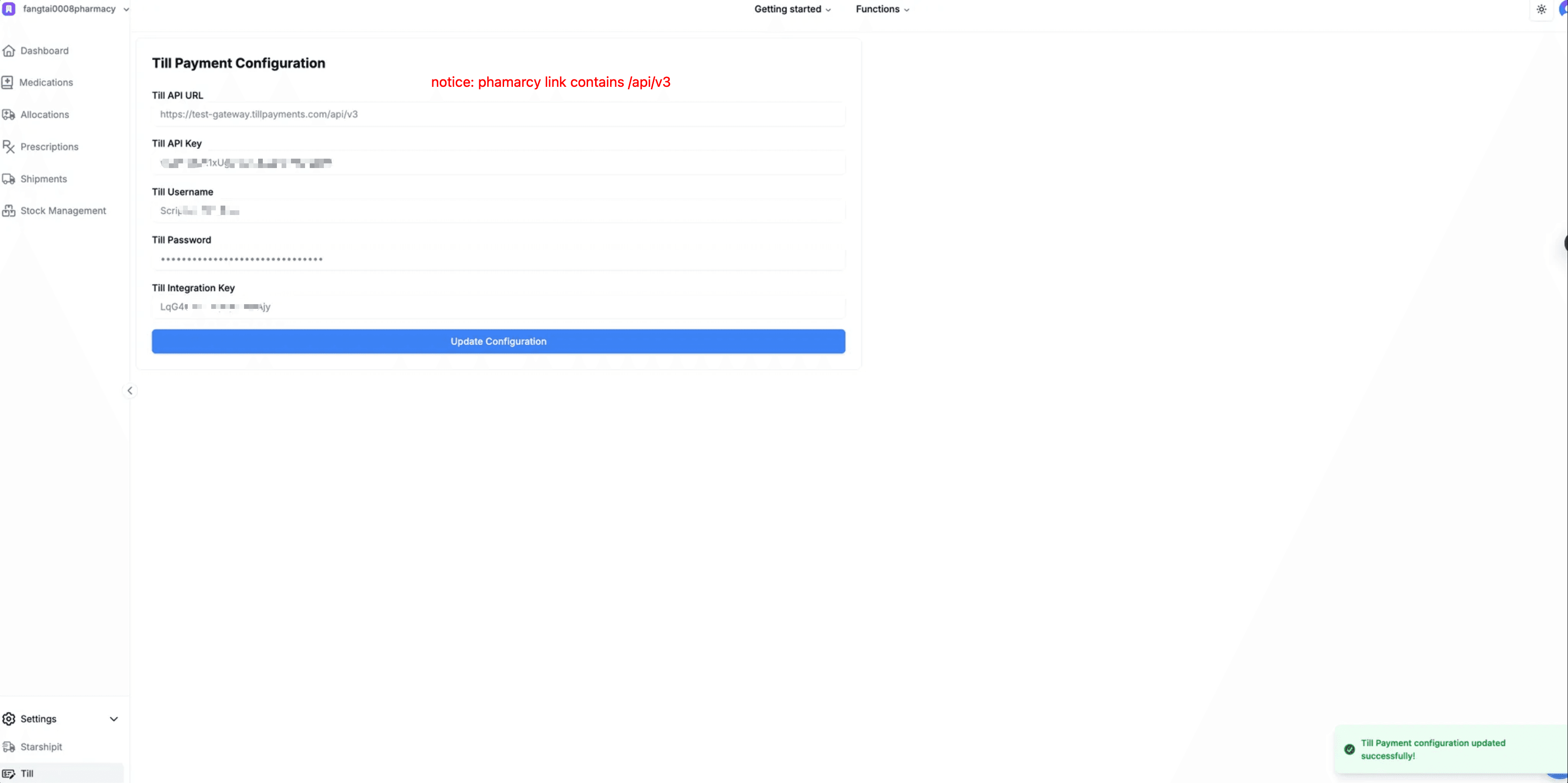
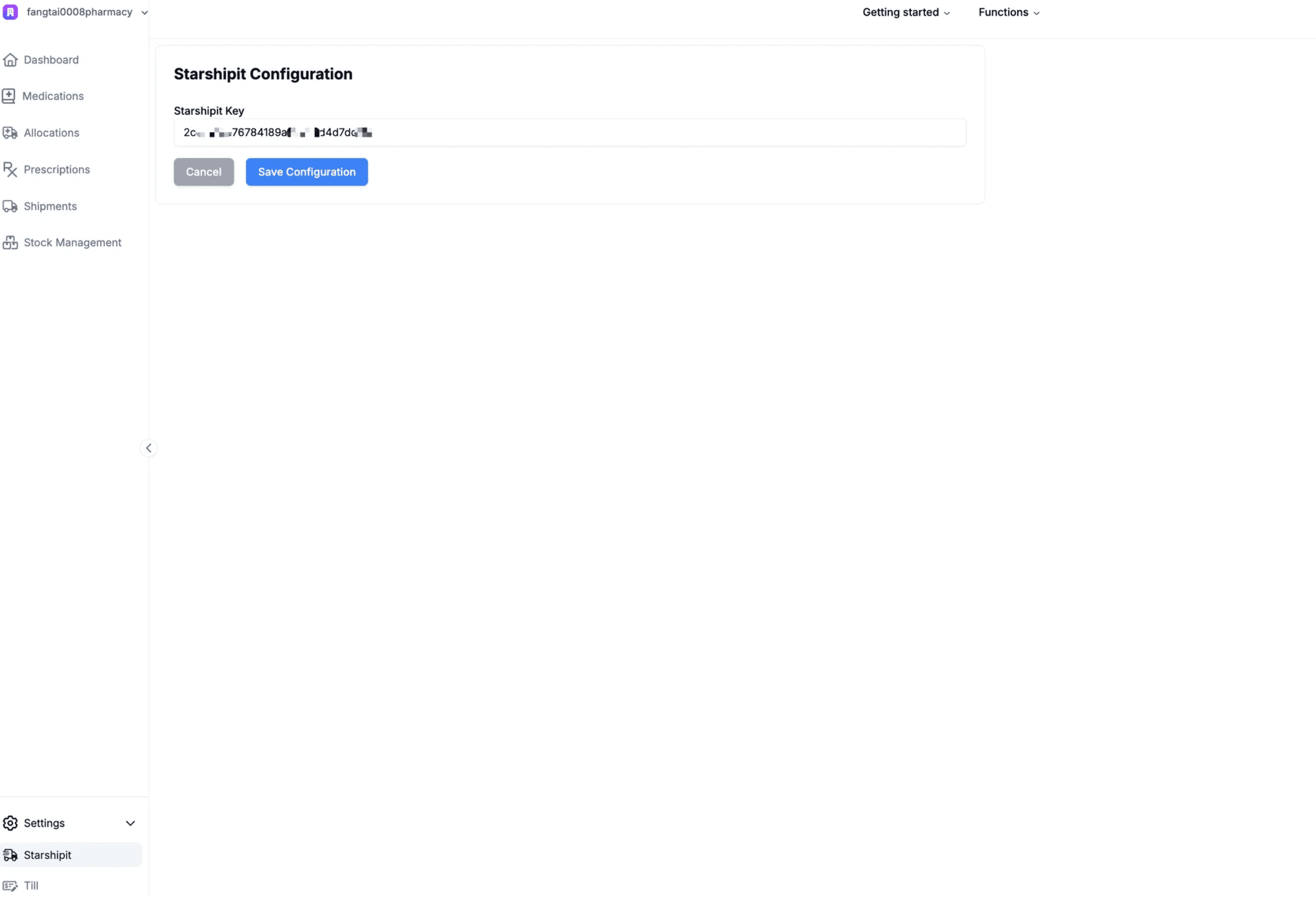
Setup Starshipit API Key
Contact shayne@getscripted.io to get your Starshipit API Key.
Copy & paste the key in the designated area and save.
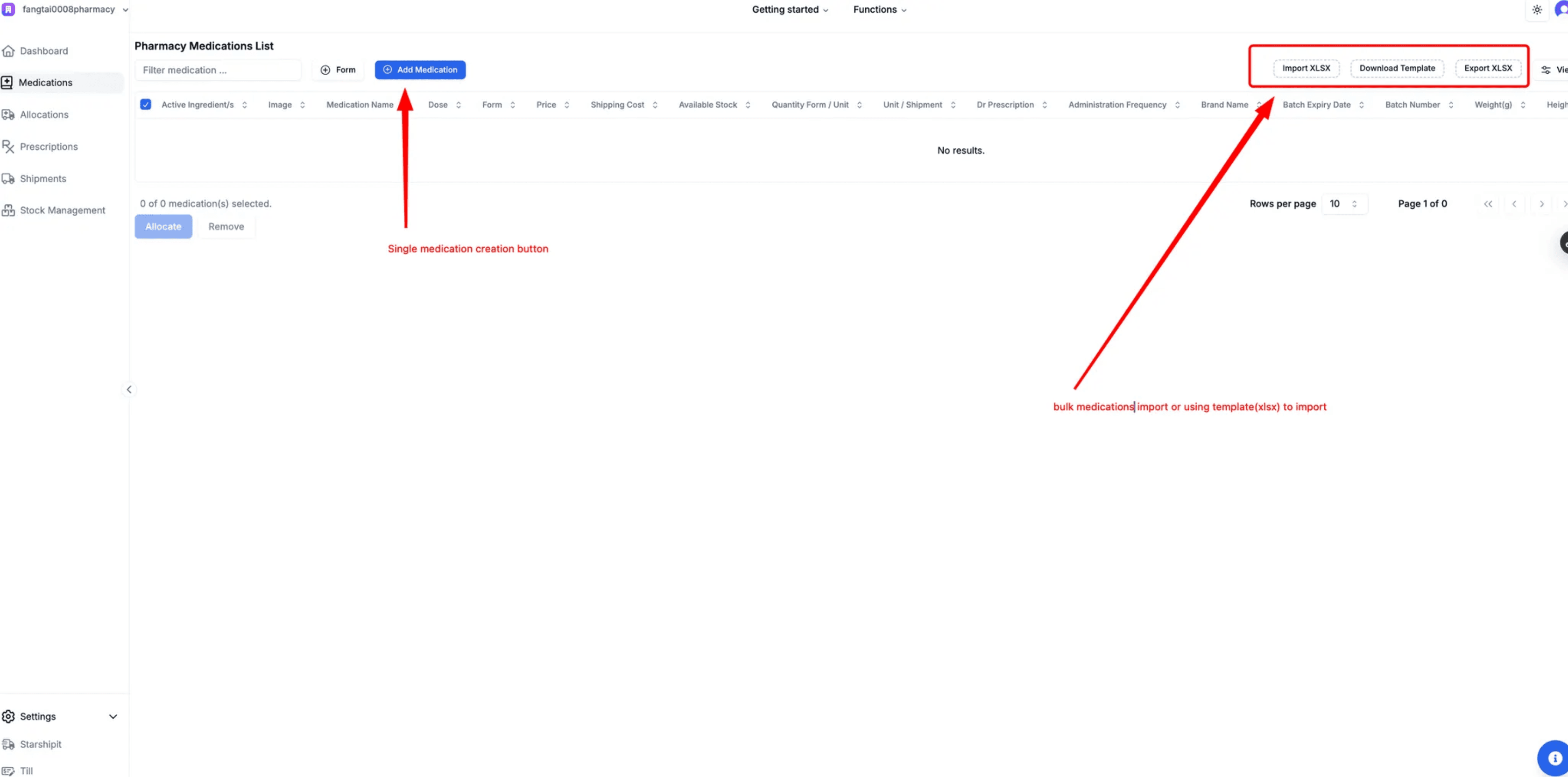
Create Medications in Pharmacy
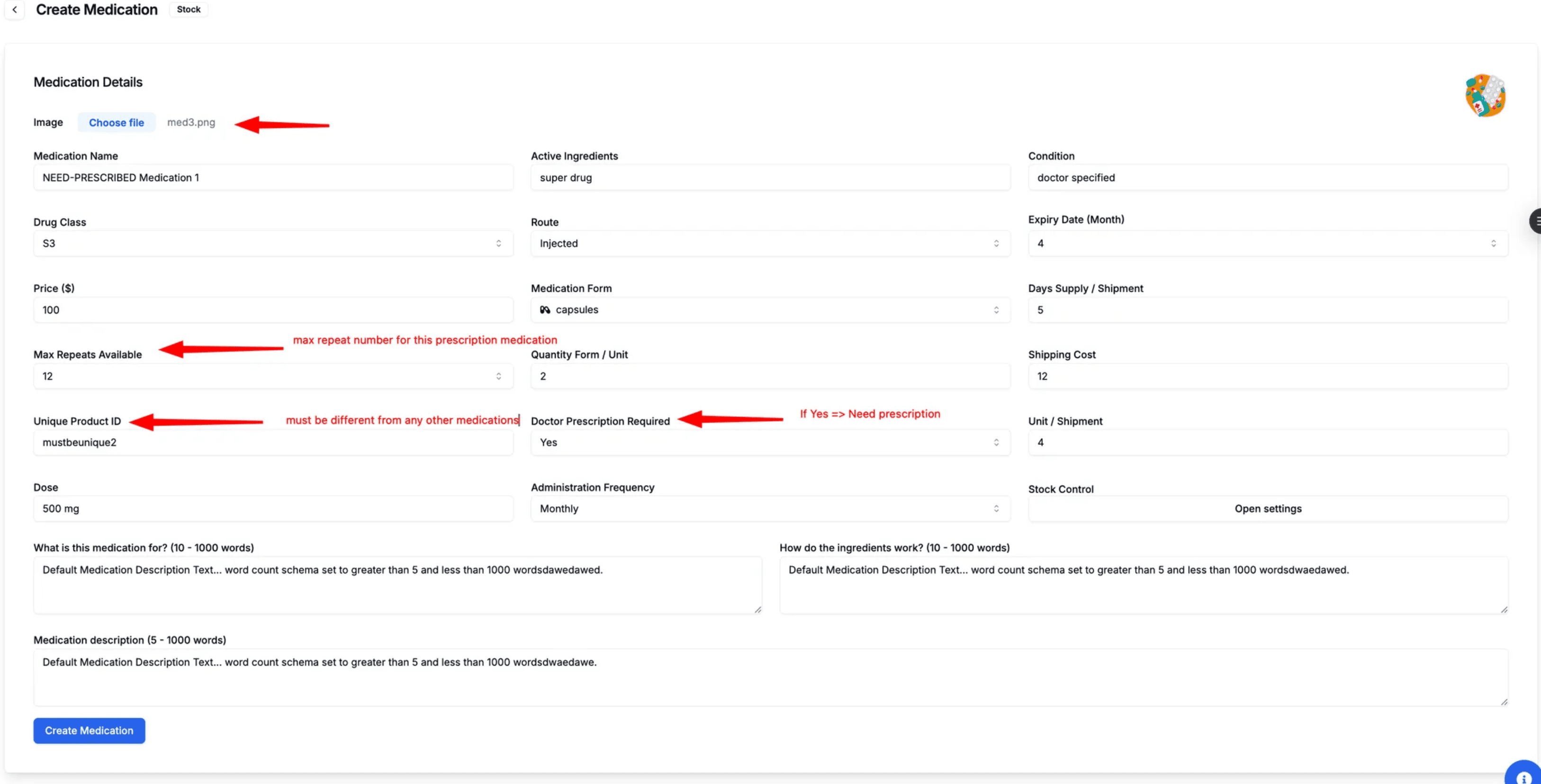
First, create all medications in your pharmacy portal.
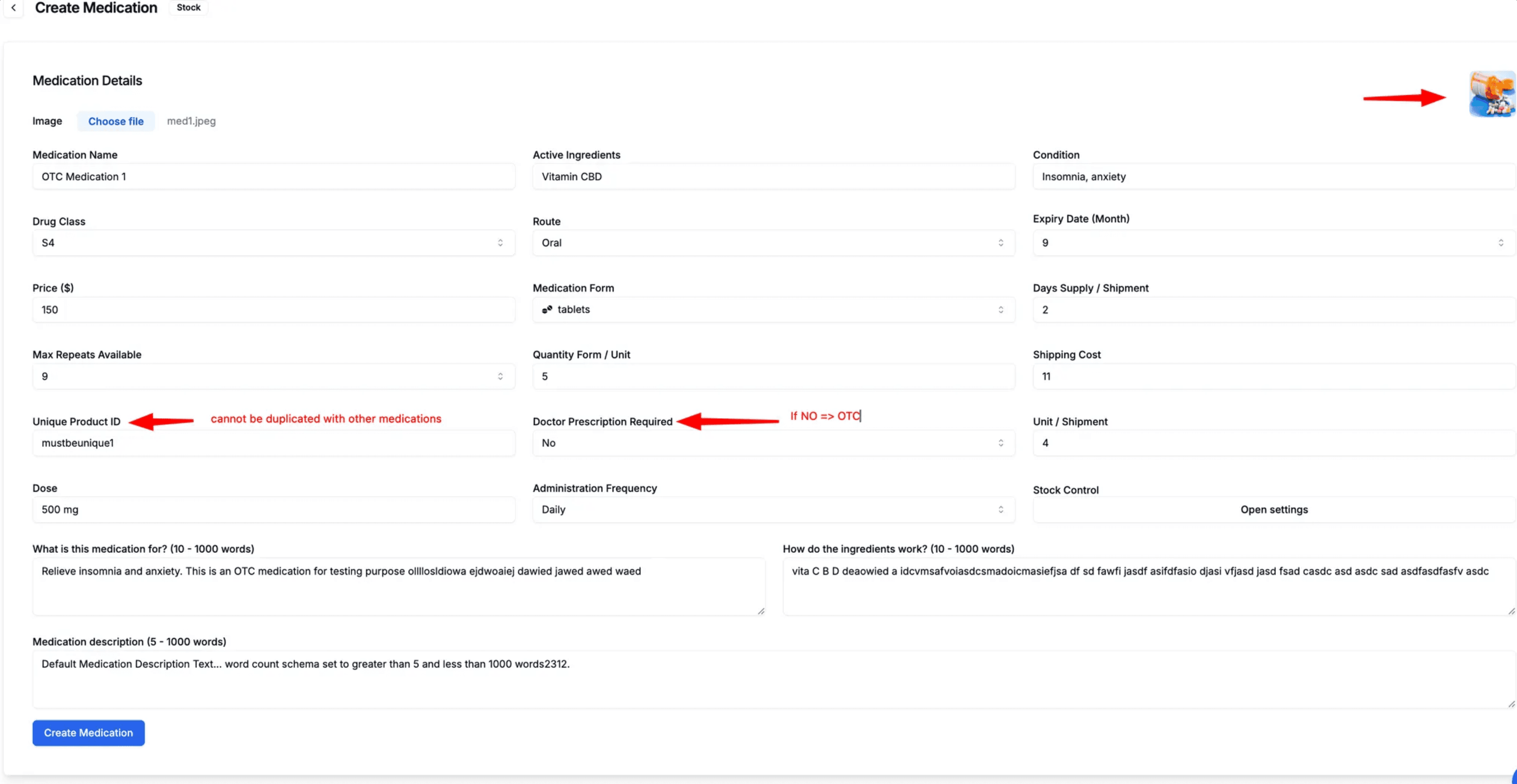
Differentiate OTC vs Prescription
When creating medications, set the "Doctor Prescription Required" field:
OTC (Over-the-Counter)
Doctor Prescription Required = No
Prescription Required
Doctor Prescription Required = Yes
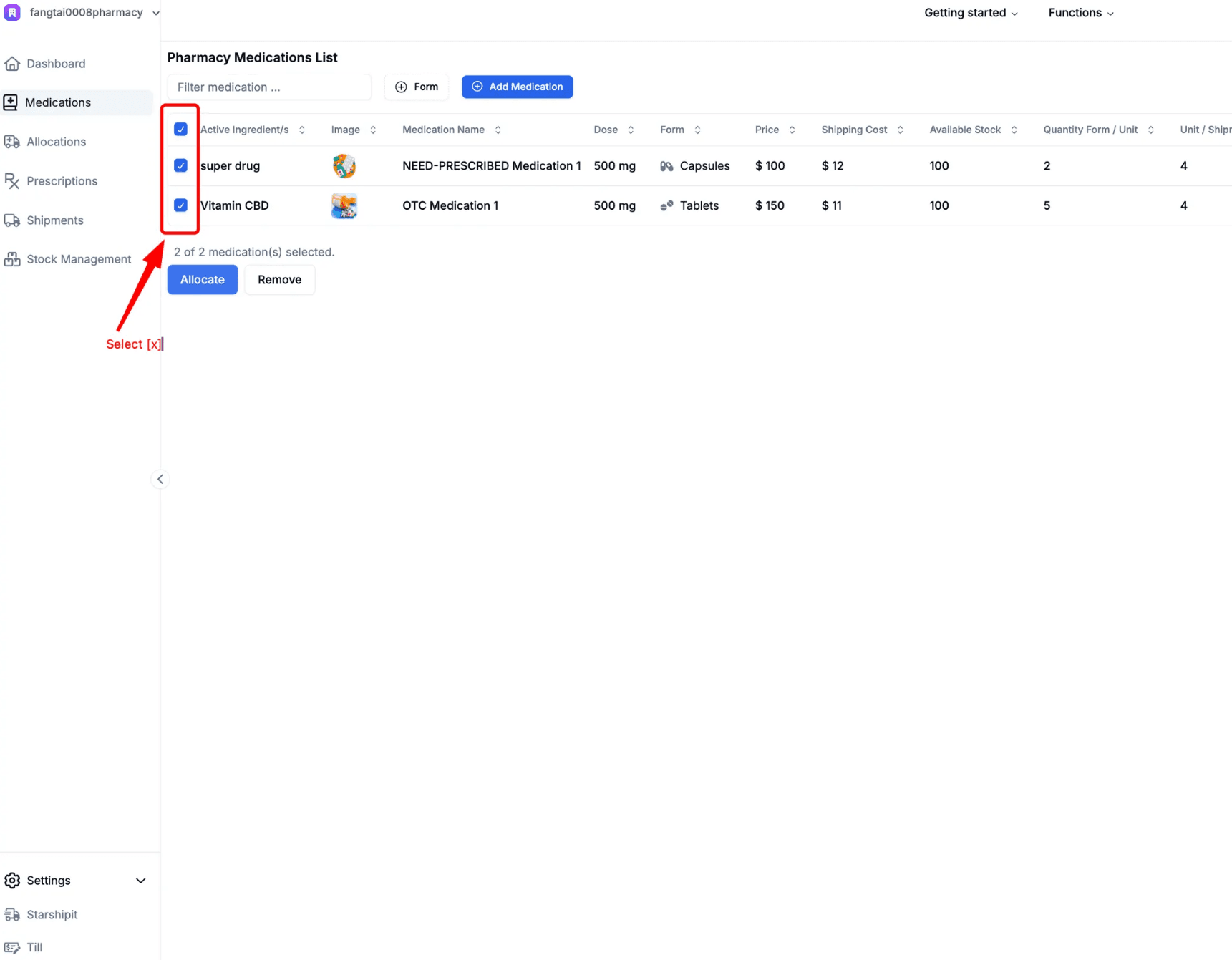
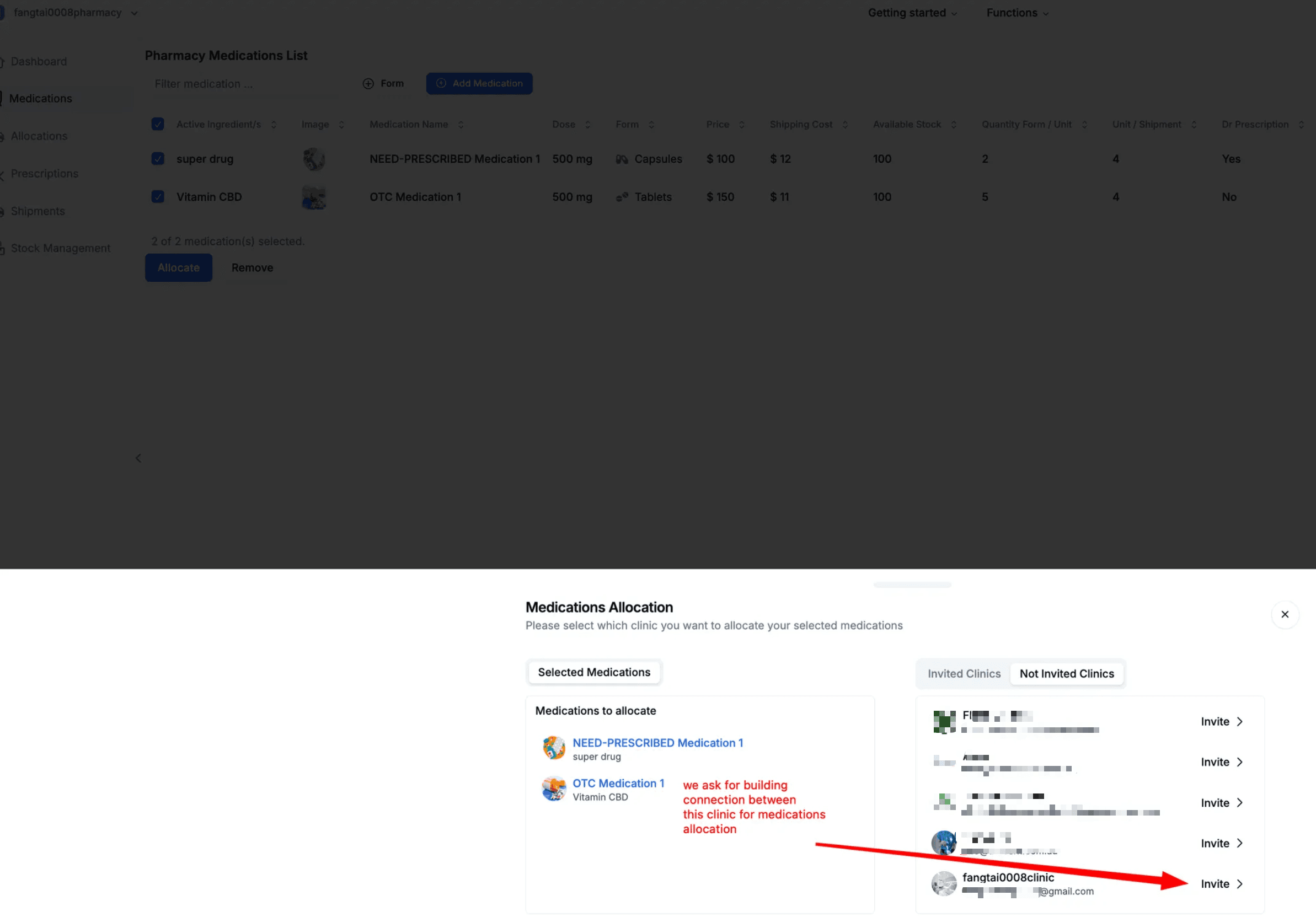
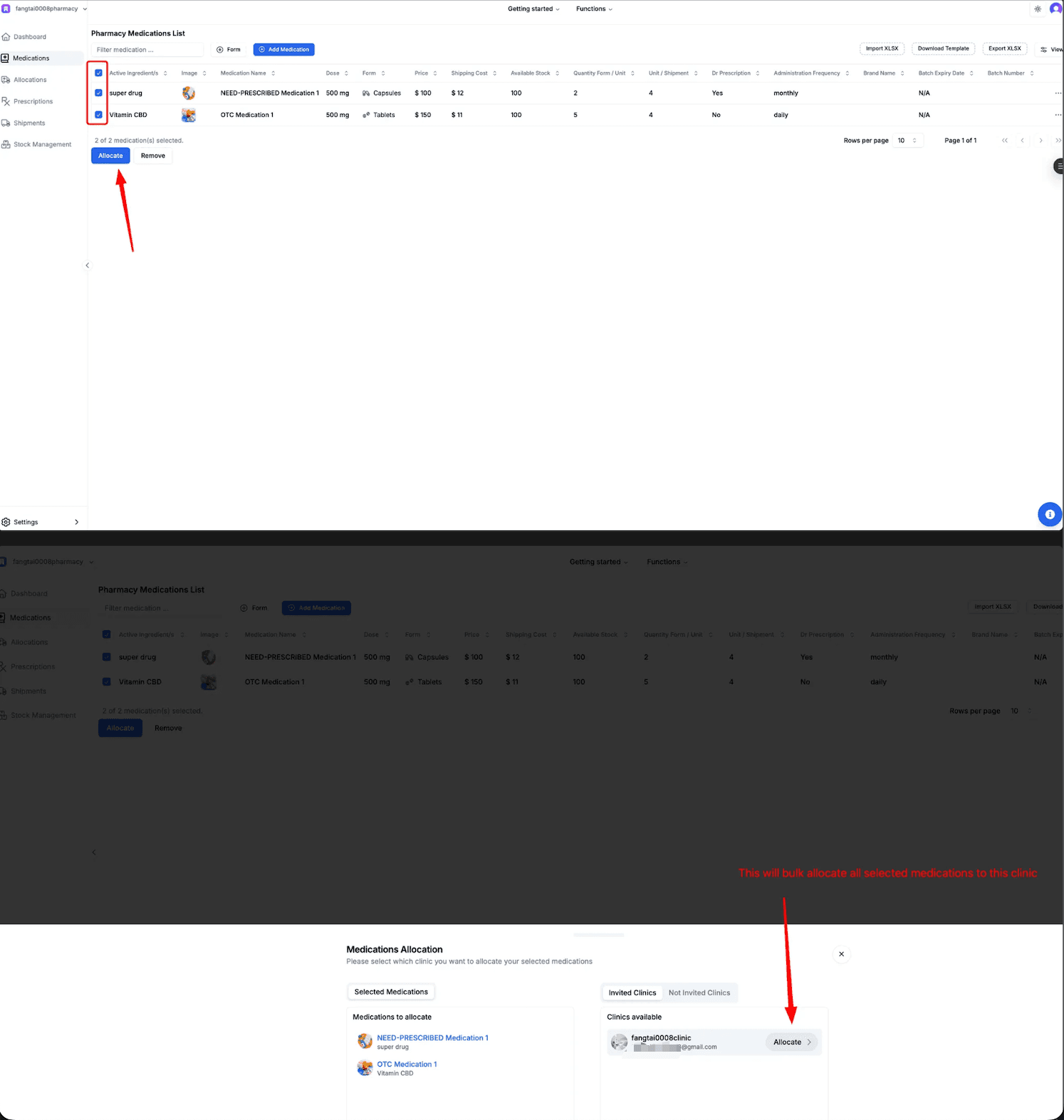
Build Connection & Allocate
- Select medications you want to allocate
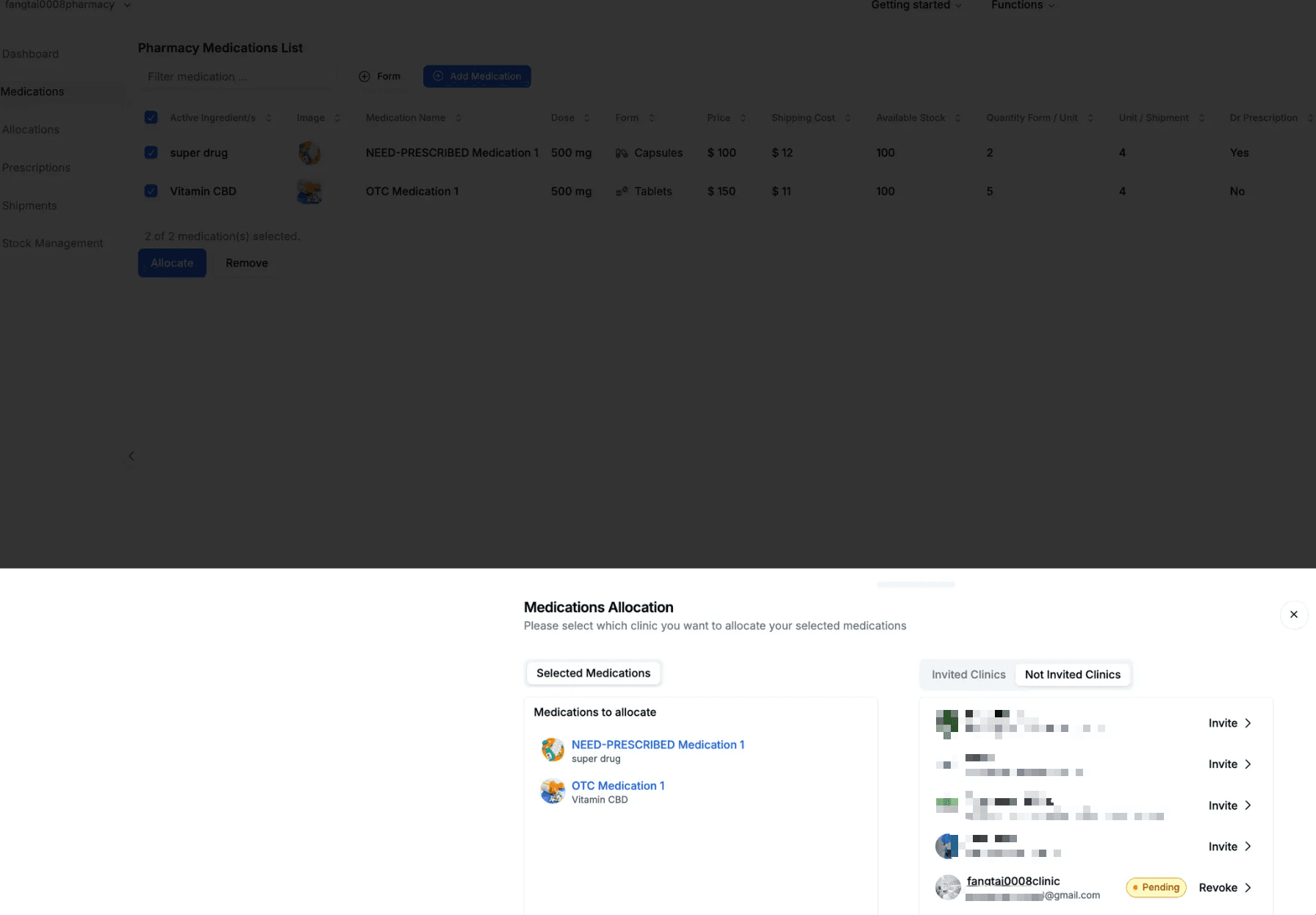
- Choose the target clinic
- Click "Allocate" to send clinic invitation request
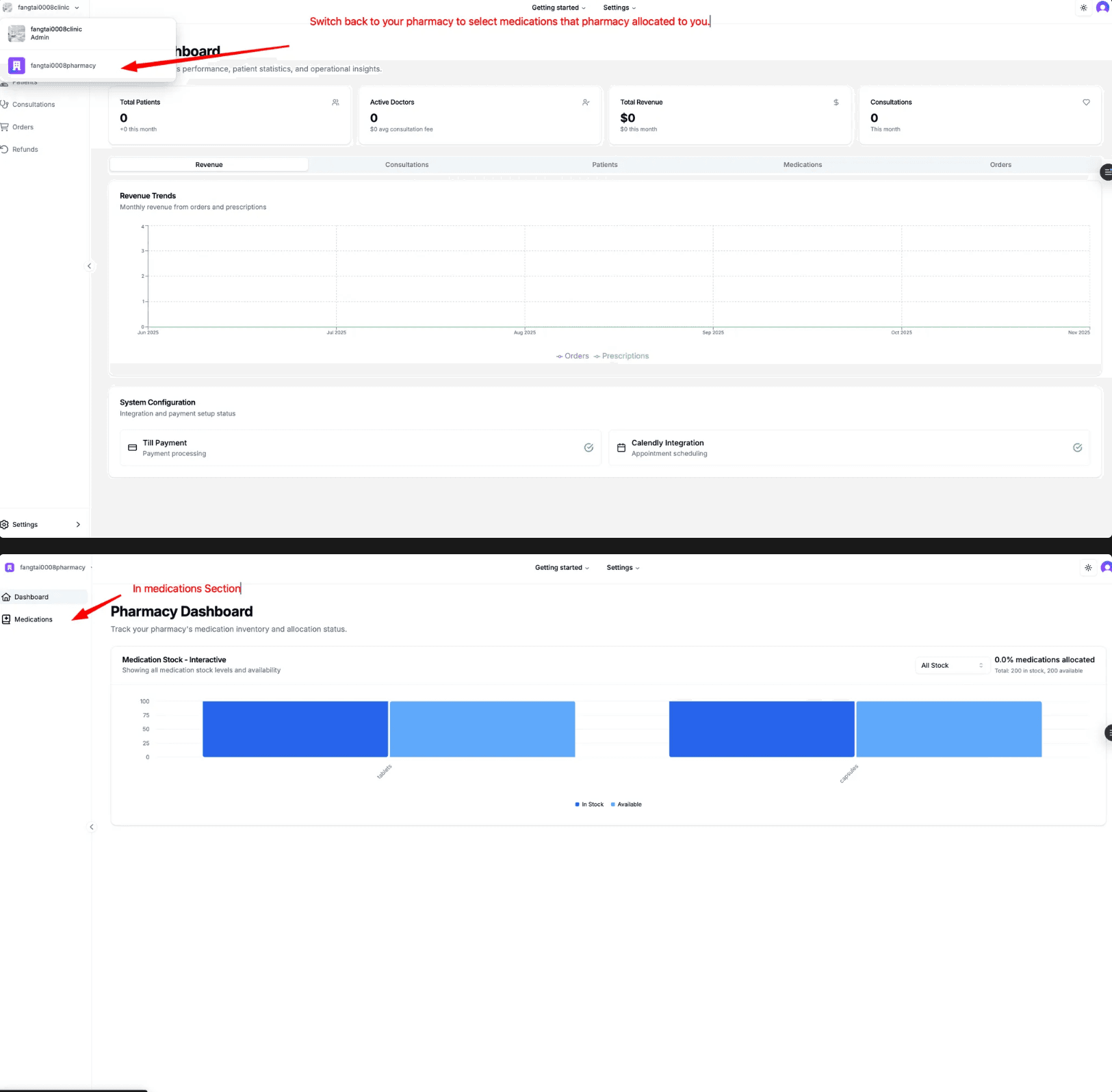
Clinic Accepts Connection
As Clinic Admin:
- Logout from Pharmacy portal
- Login to Clinic portal
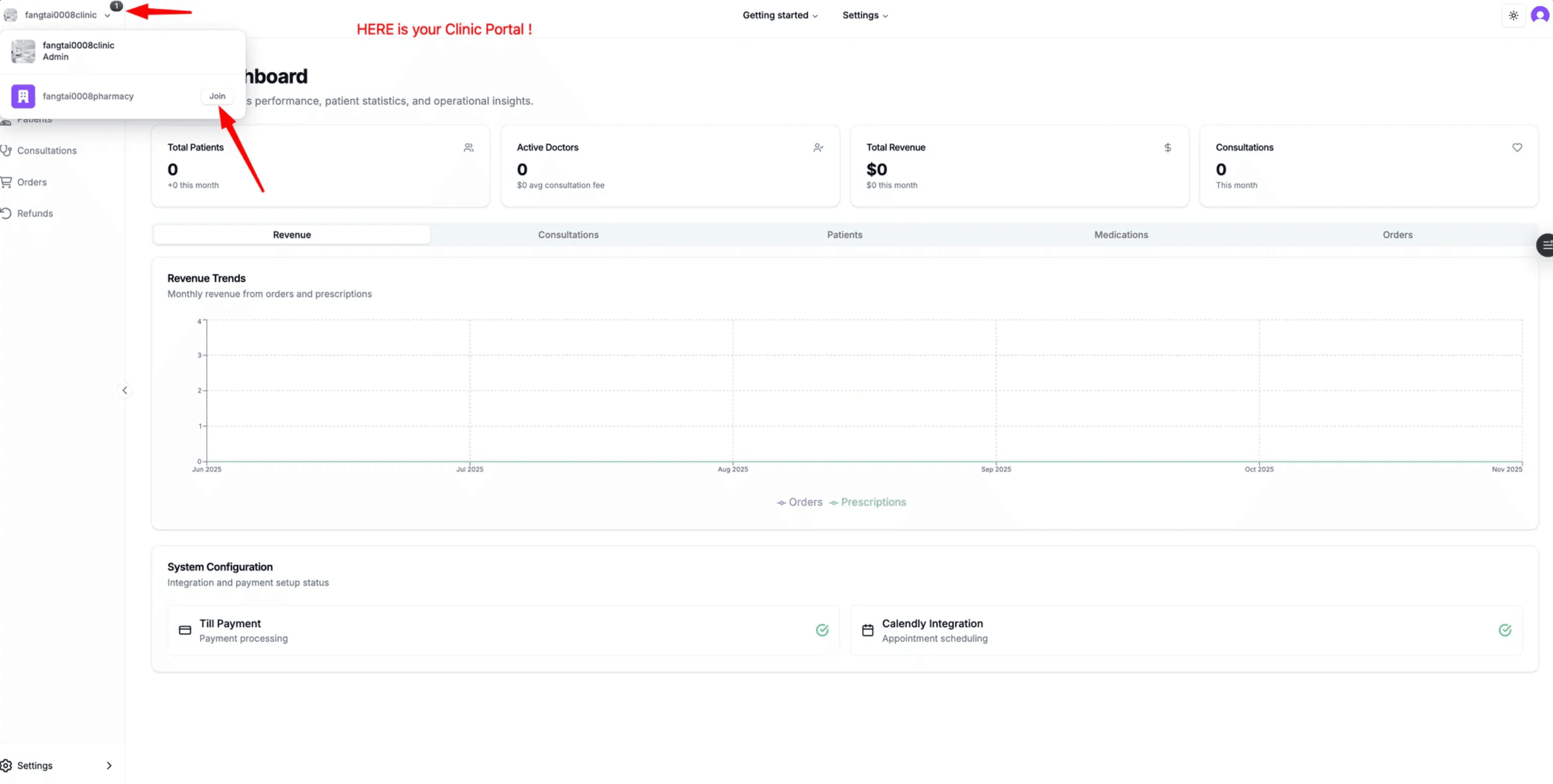
- You'll see a prompt in the top-left corner to join the pharmacy
- Click "Join" to establish the connection
Complete Allocation from Pharmacy
- Logout from Clinic account
- Login back to Pharmacy account
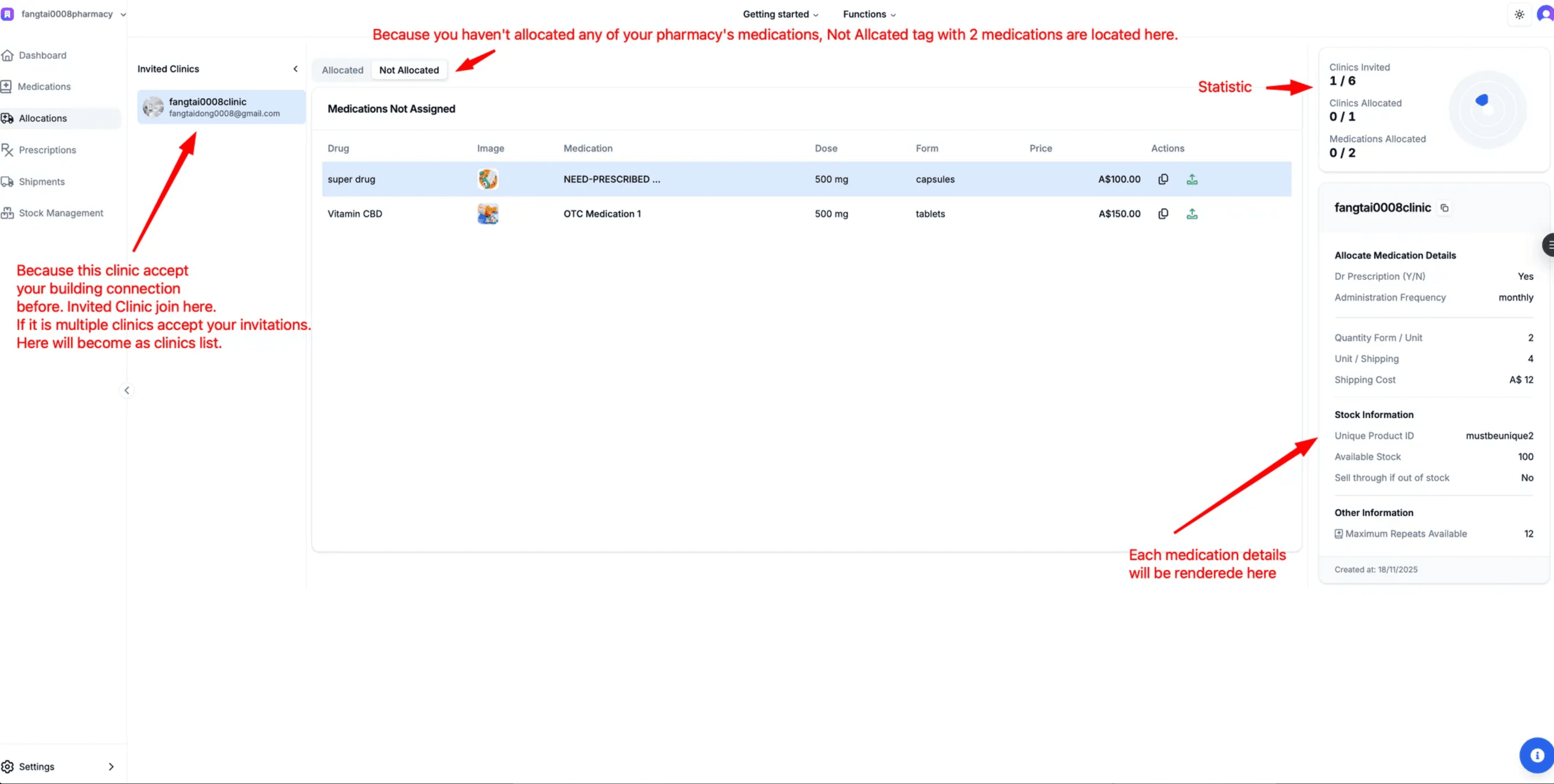
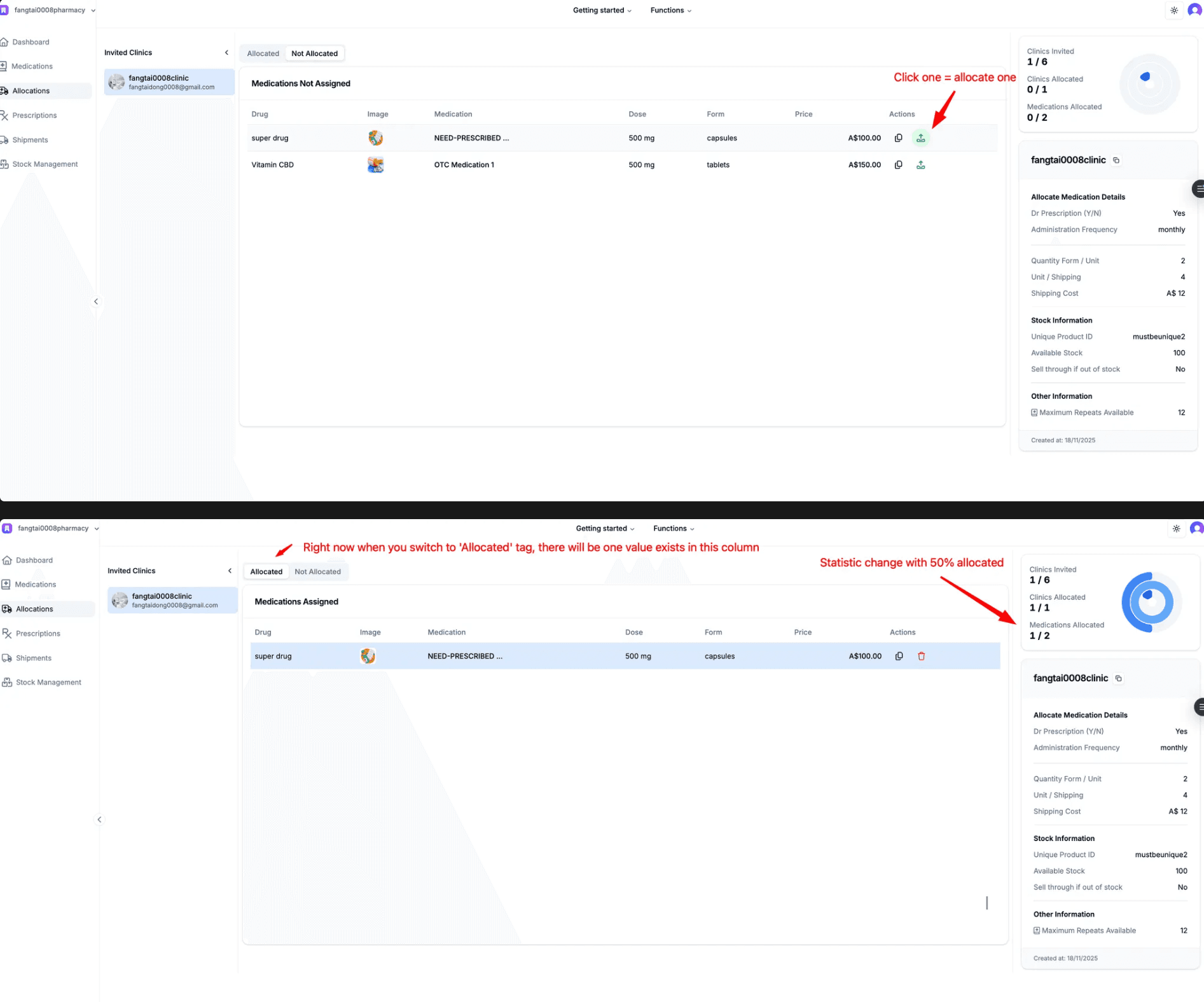
- Go to Allocations and complete the medication allocation
Bulk Allocation:
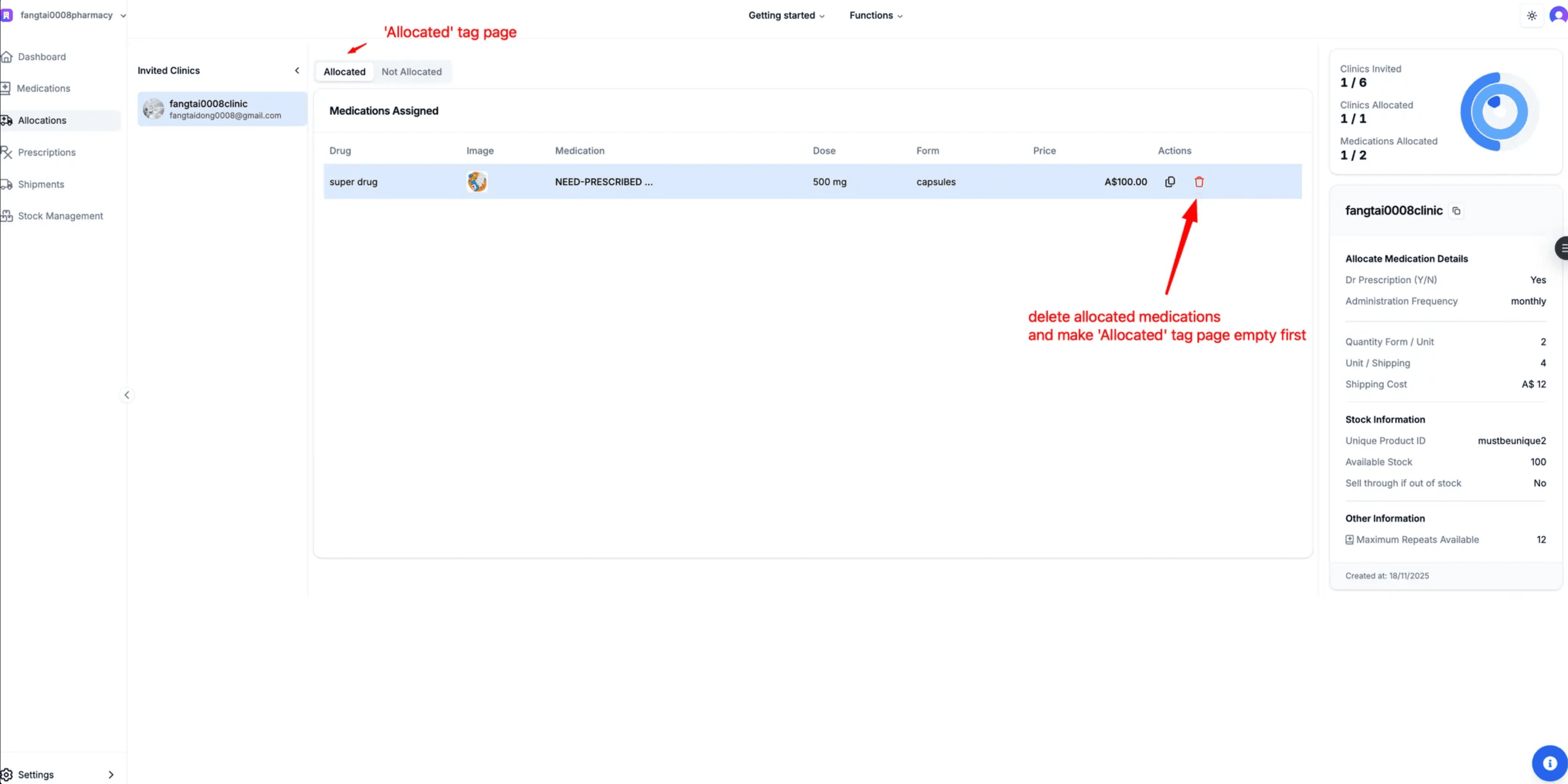
For bulk allocation, the 'Allocated' tab must be empty. Delete any existing allocations first if needed.
Clinic Selects Medications
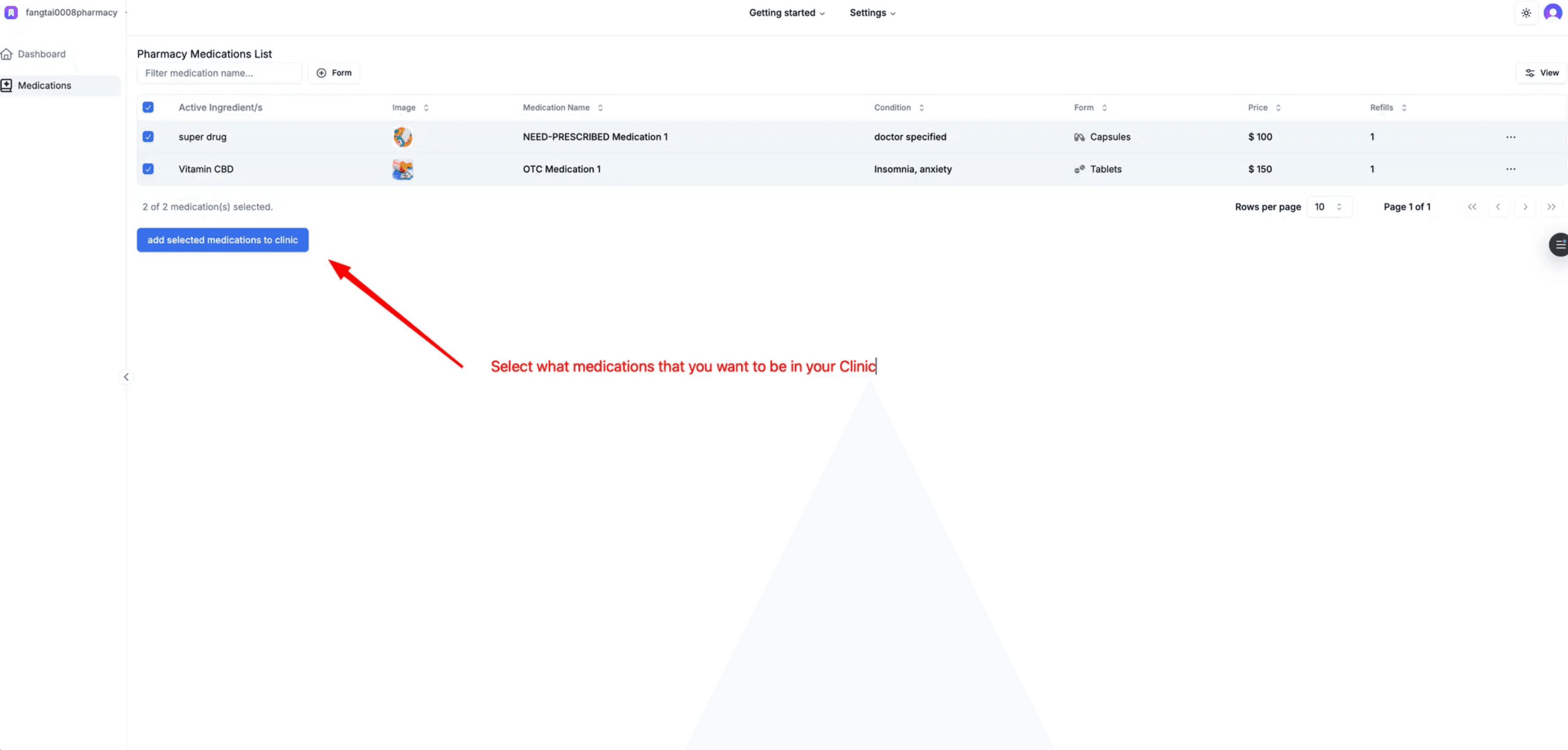
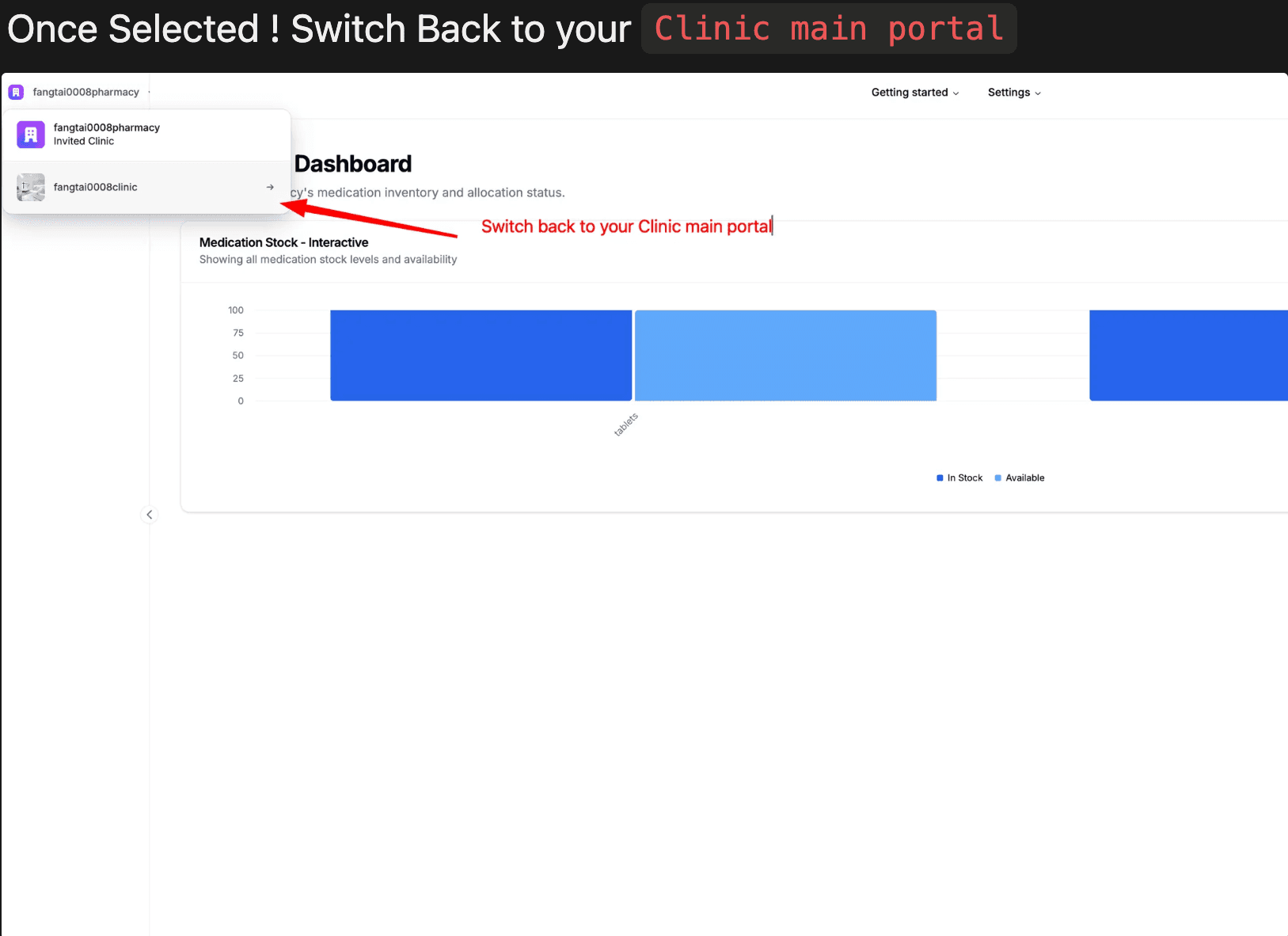
- Logout from Pharmacy, Login to Clinic
- Go to your pharmacy section within the clinic portal
- Select the medications you want displayed to patients
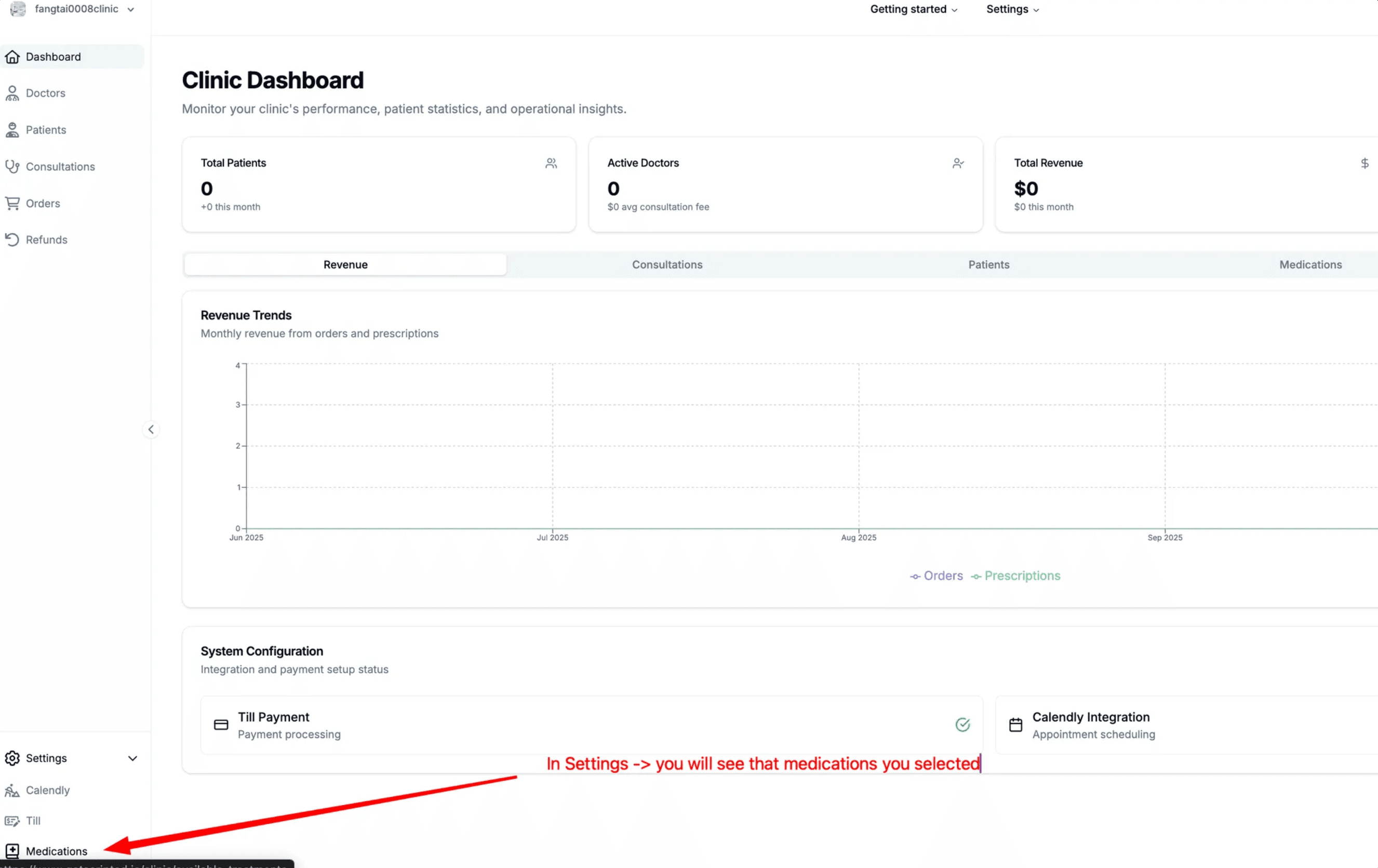
Pricing:
- • Default 20% margin from cost to RRP (negotiable for production)
- • Each RRP is editable by clicking directly on it
- • Changes affect what patients see in their portal
Doctor Registration
Access the clinic-specific URL:
https://www.scriptedtech.com/[clinic-slug]Example: https://www.scriptedtech.com/fangtai0008clinic
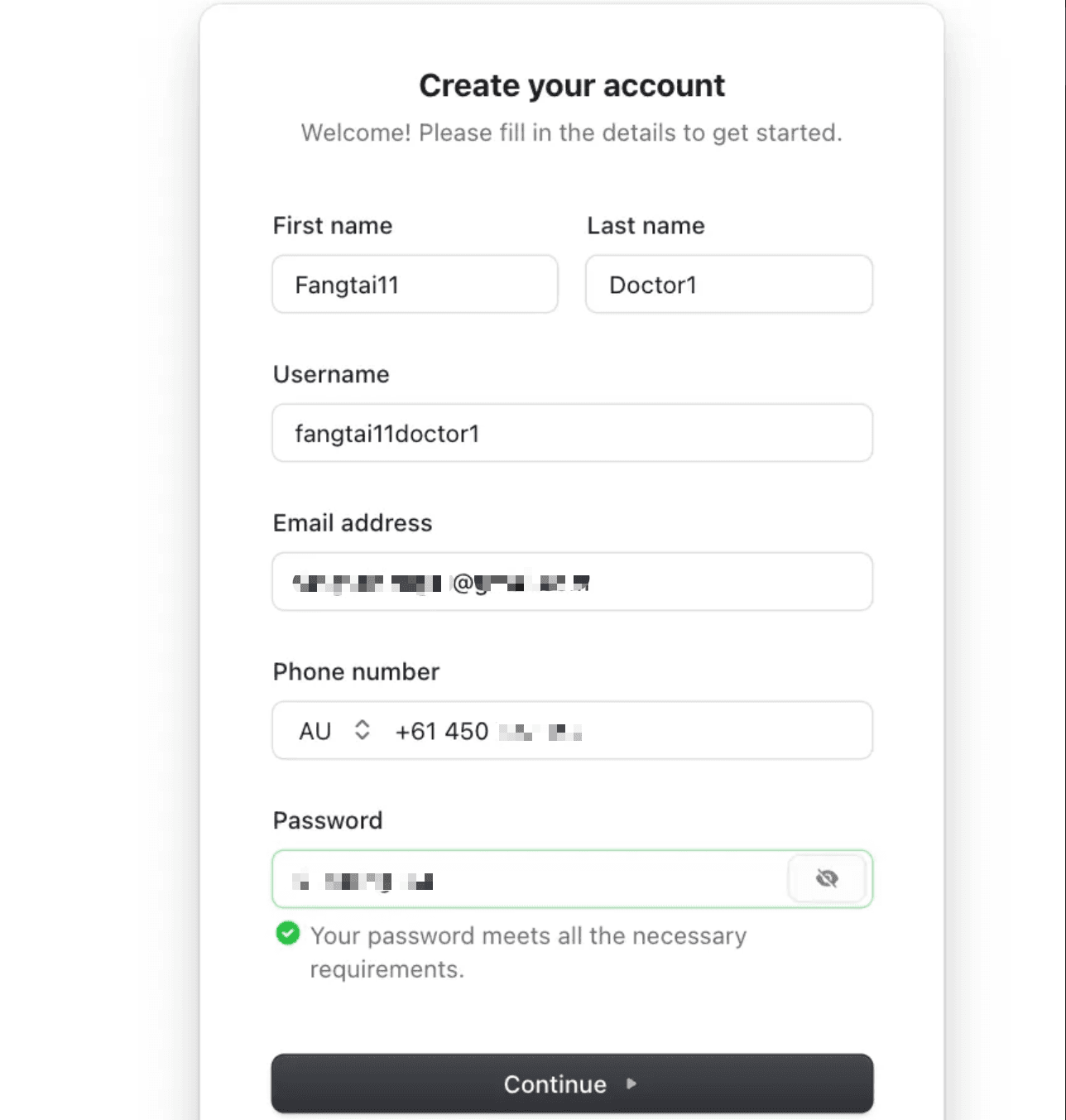
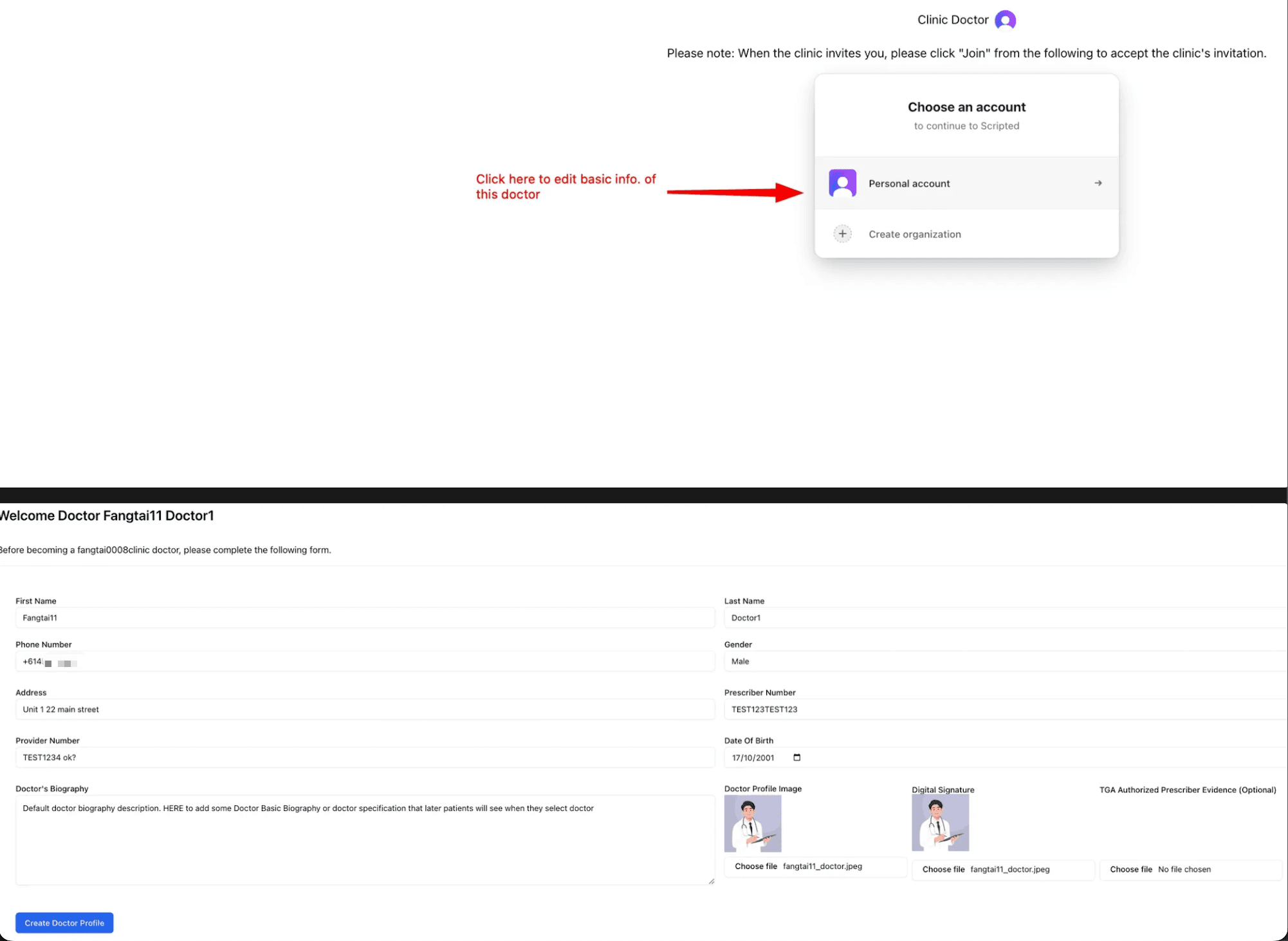
- Go to "Doctor Dashboard" and click "Sign up"
- Fill in your basic profile information
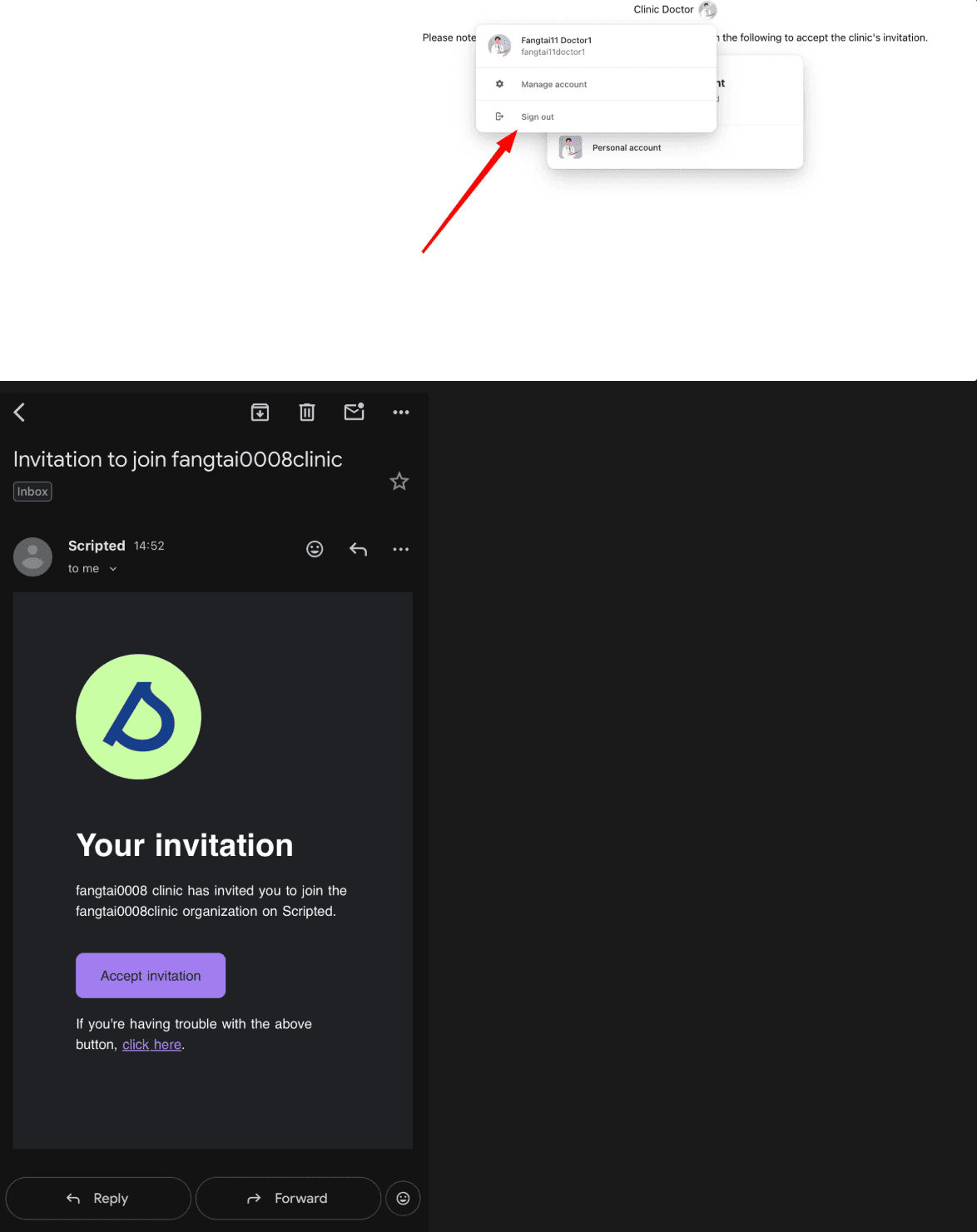
Wait for Clinic Invitation
After registration, logout and wait for the clinic to invite you. You'll receive an email notification once invited.
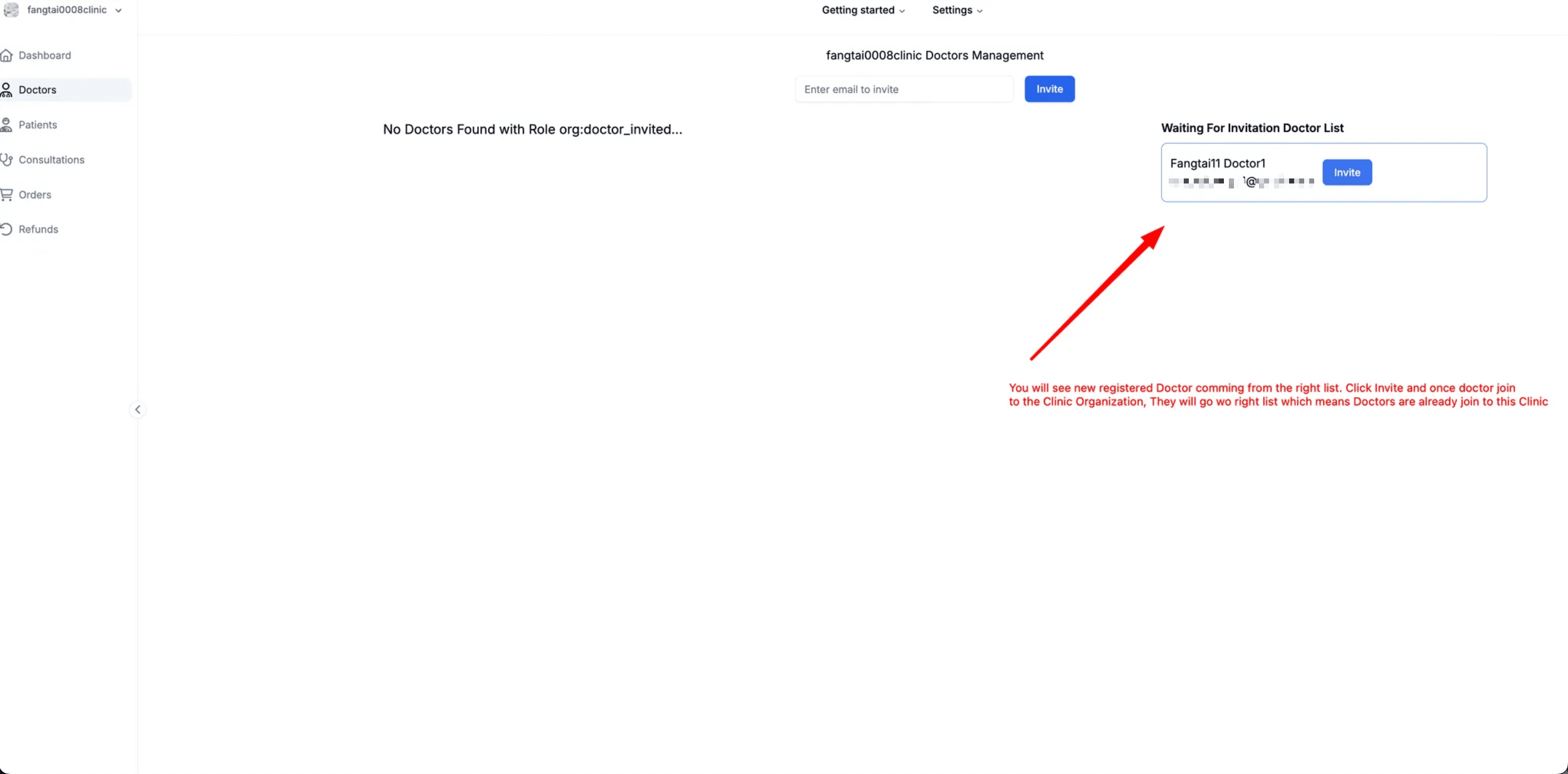
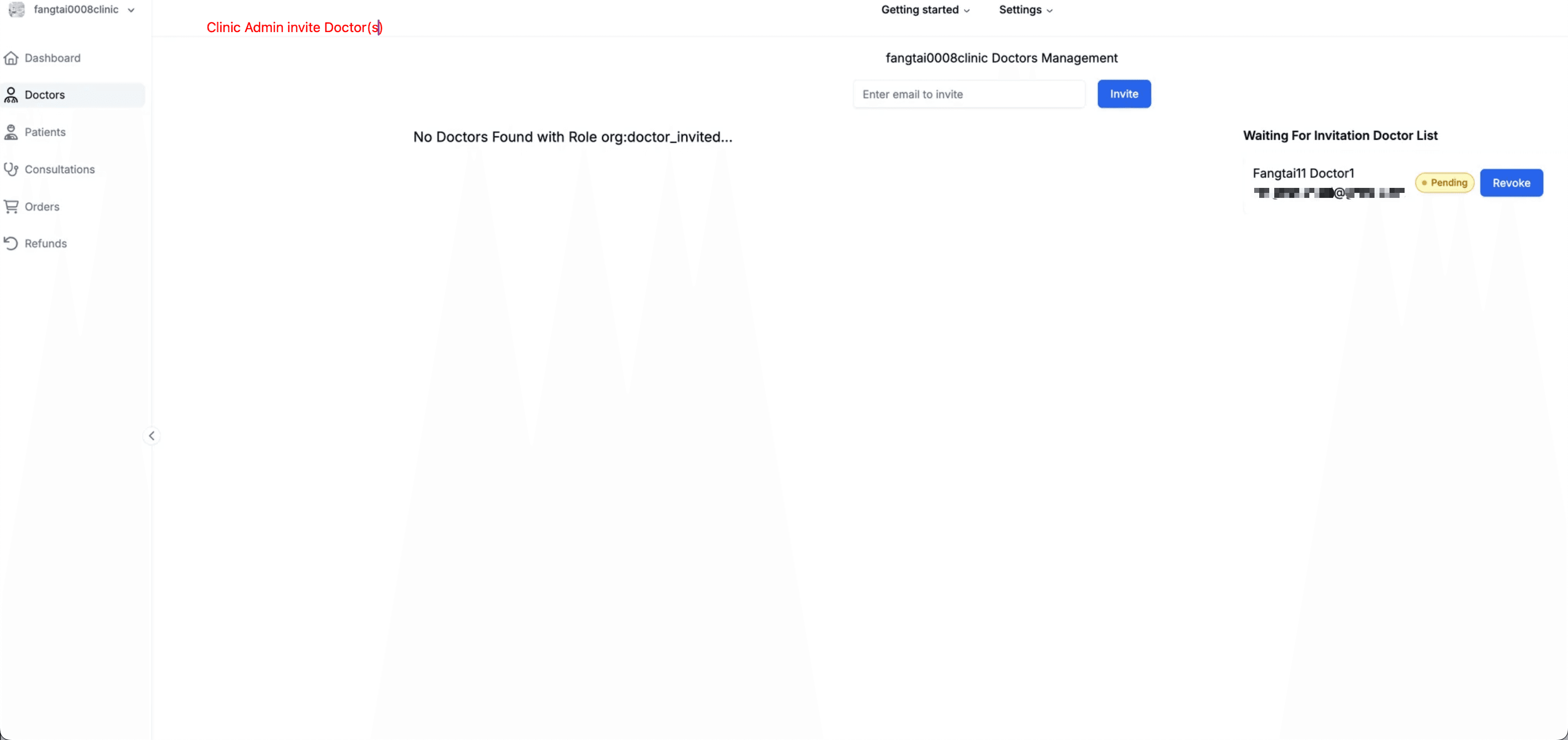
Clinic Admin Invites Doctor
As Clinic Admin:
- Login to your Clinic account at https://getscripted.io
- Go to the "Doctors" section
- Invite the newly registered doctor
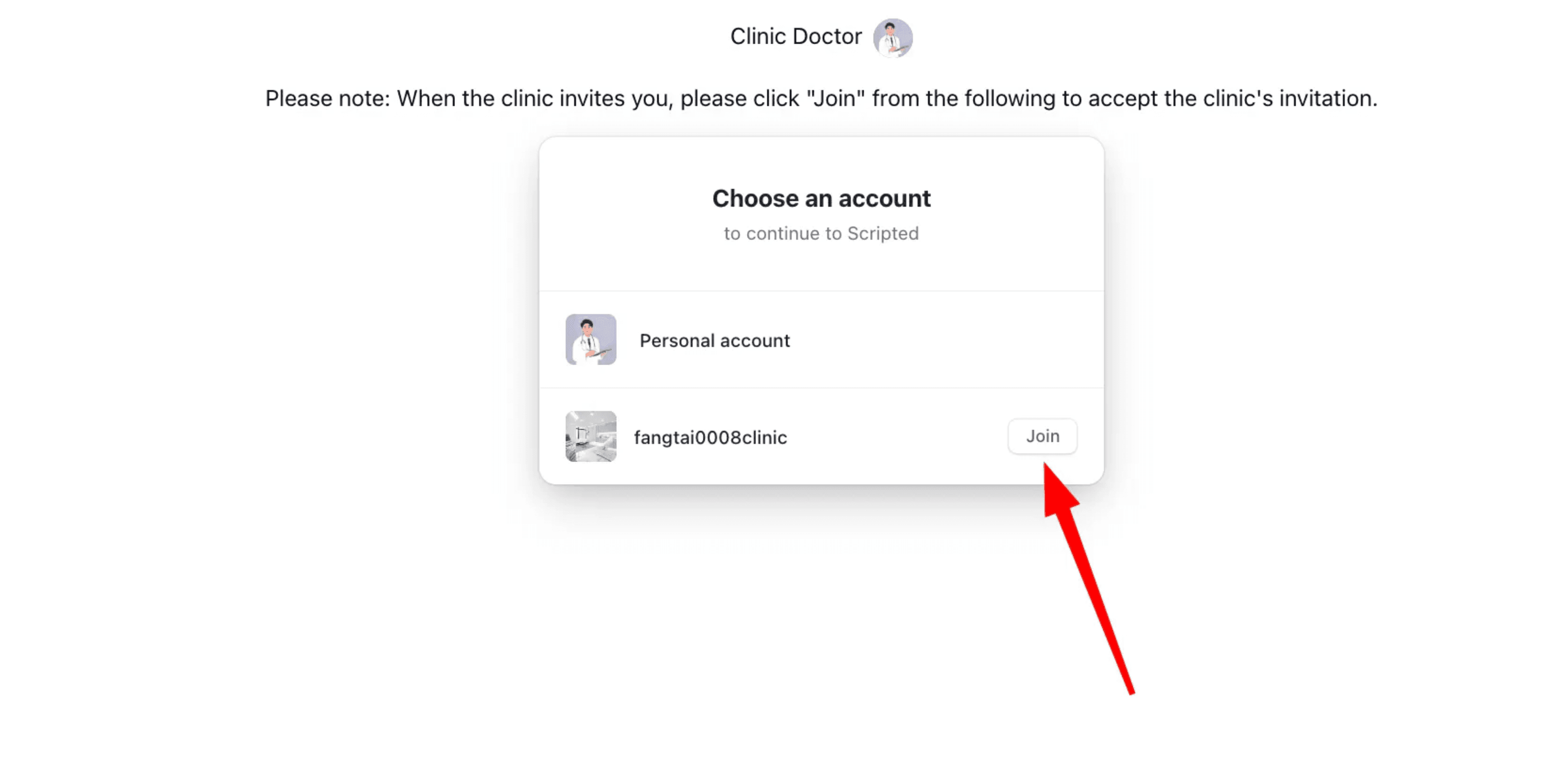
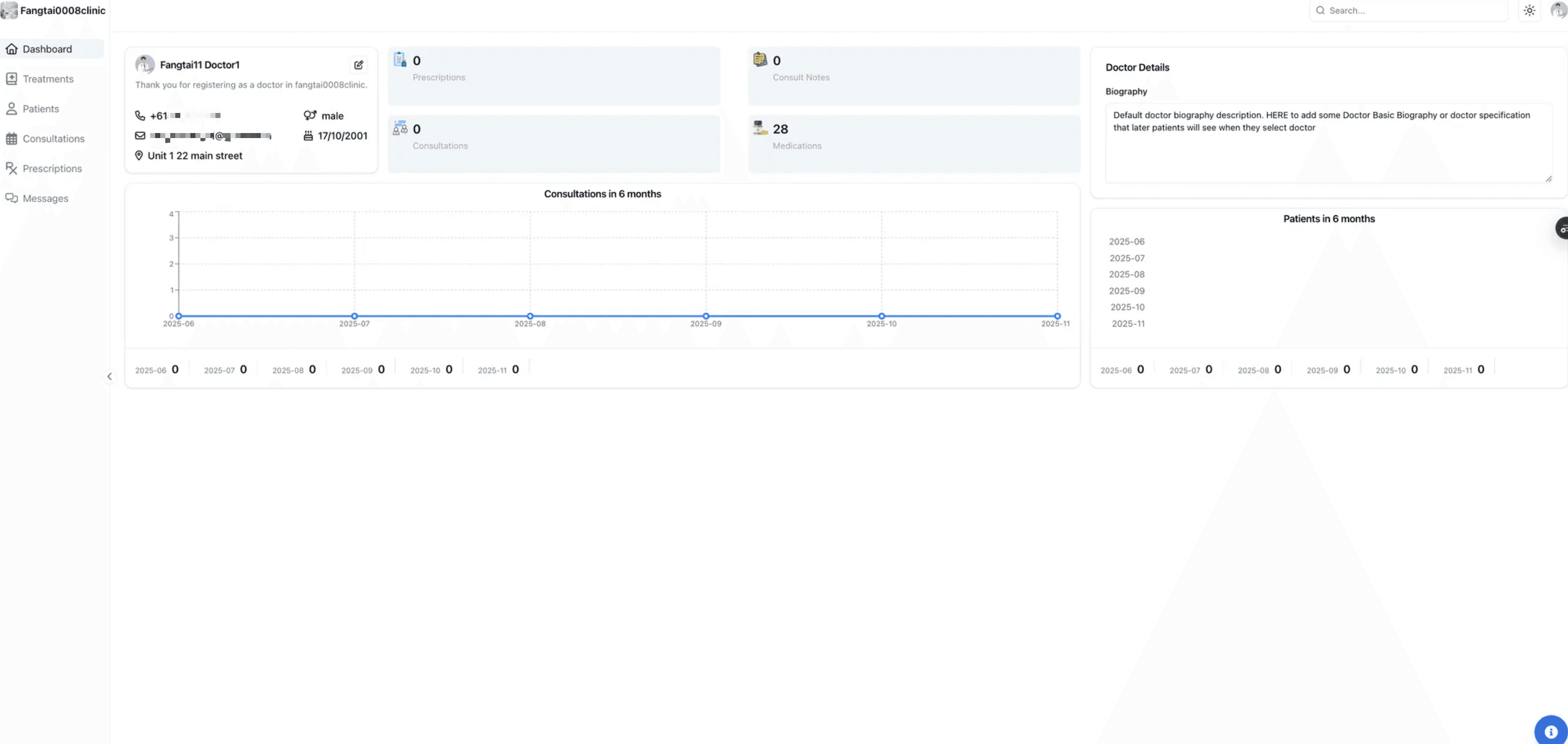
Doctor Accepts Invitation
- Logout from Clinic account
- Login to Doctor account via clinic URL
- If organization doesn't appear, refresh the page
- Click "Join" on the clinic invitation
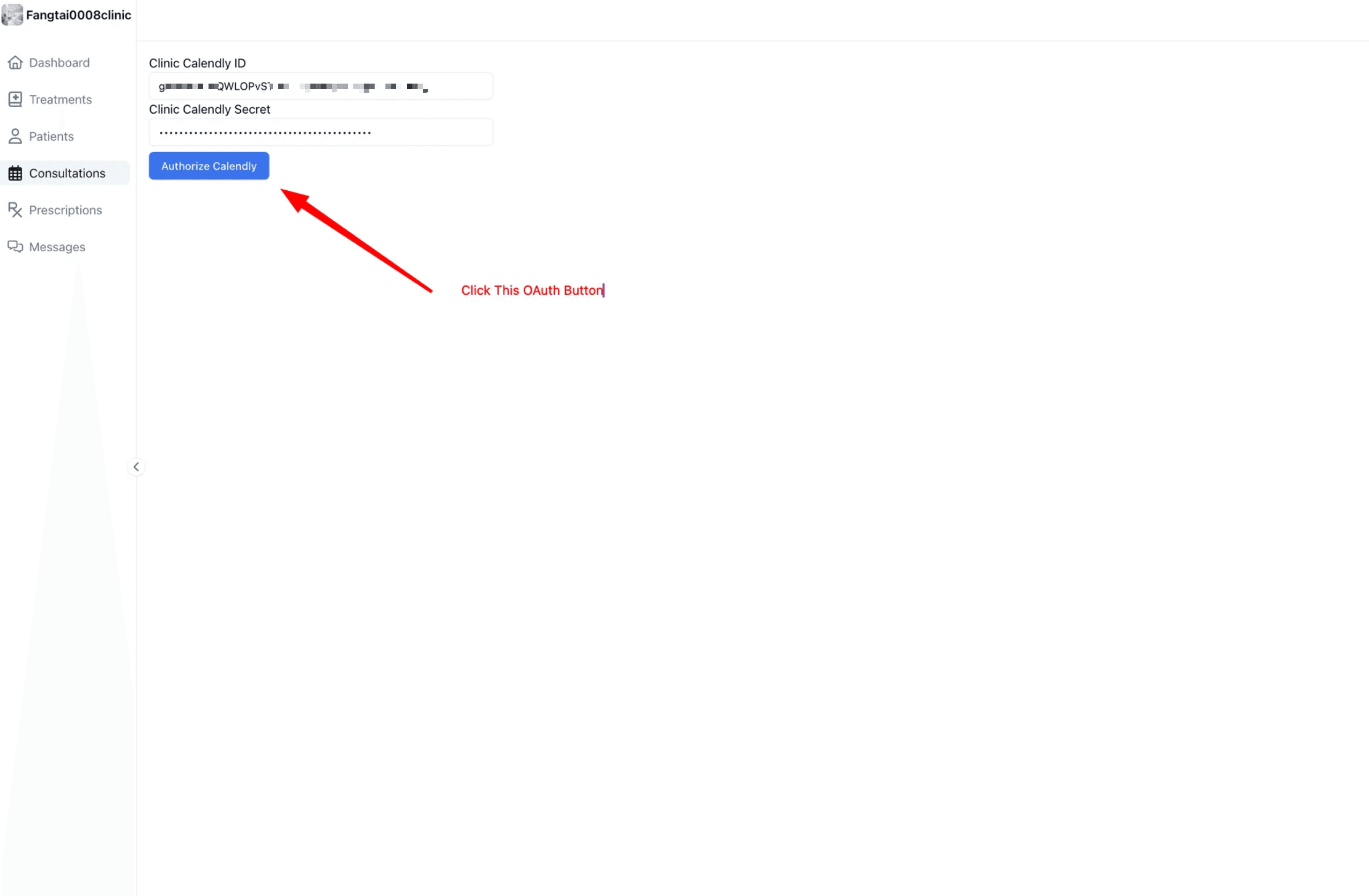
Synchronize Calendly Account
- Click "Consultations" in Doctor dashboard
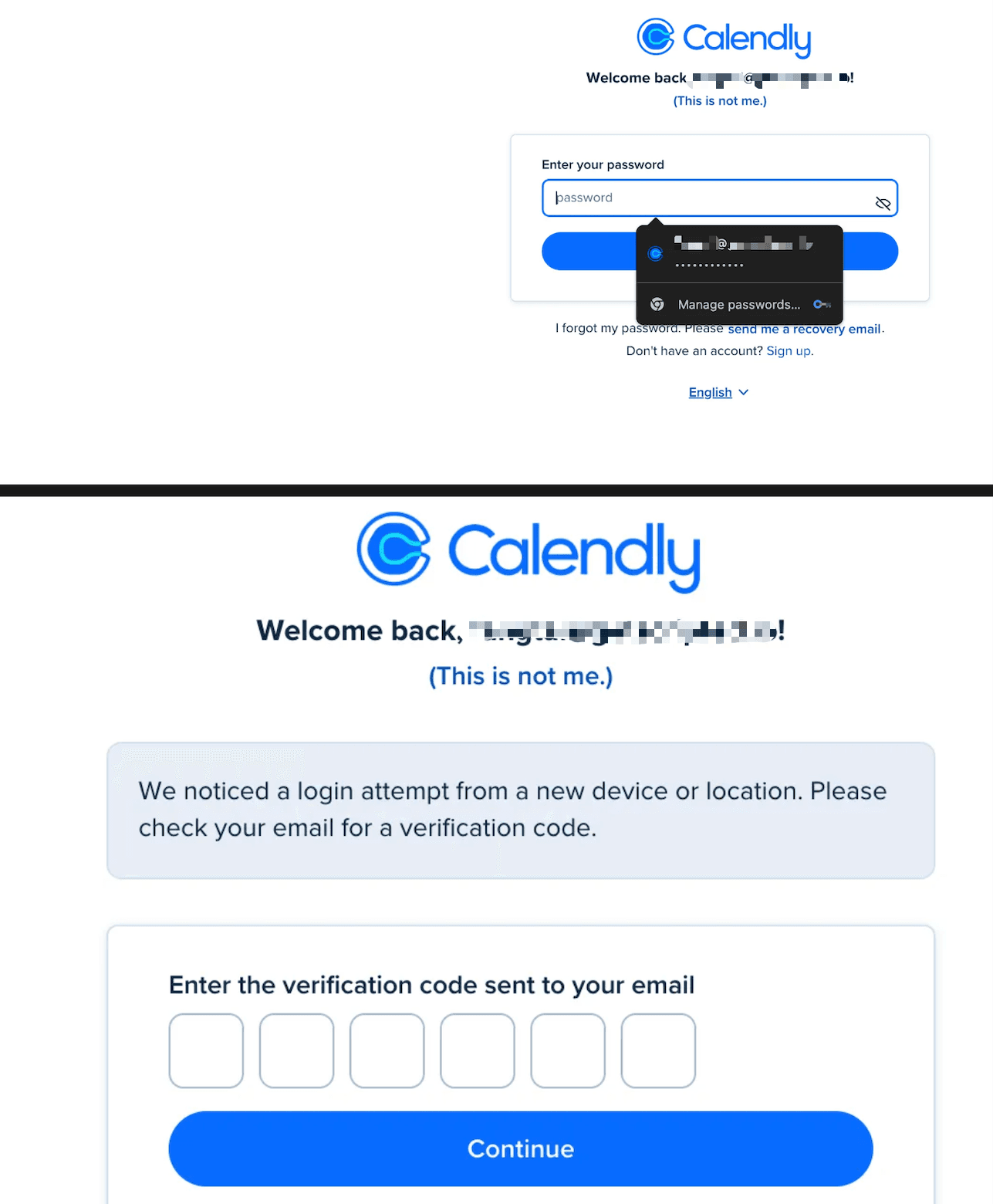
- OAuth Step 1: Authorize to Calendly (Clinic-level) Application
- Login with your personal Calendly account
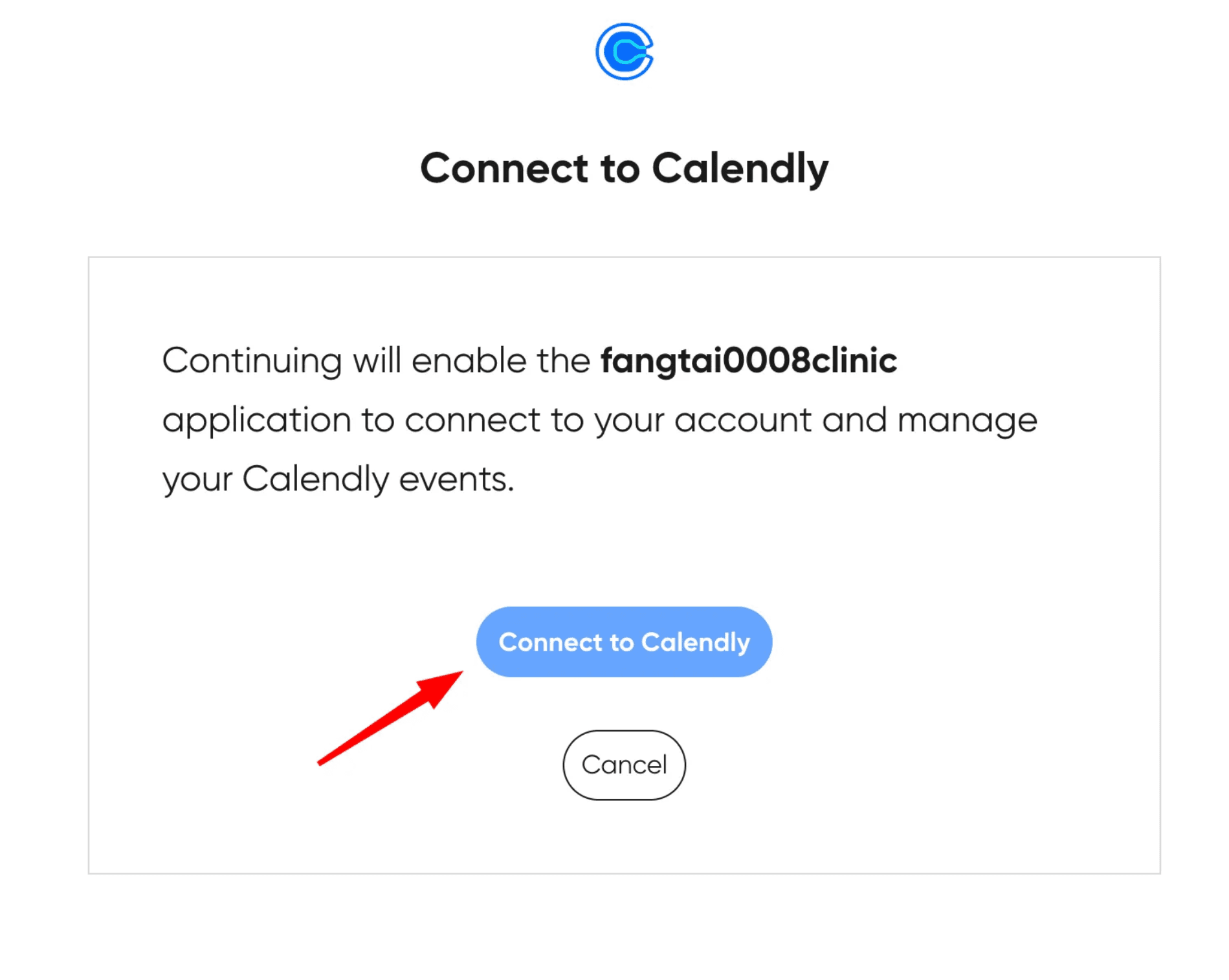
- Click "Connect to Calendly" to complete setup
Two Ways to Register Patients:
- 1. Self-Registration: Patients register via the clinic URL (e.g.,
https://www.scriptedtech.com/fangtai0008clinic) - 2. Manual Creation: Clinic Admin creates patient accounts from the dashboard
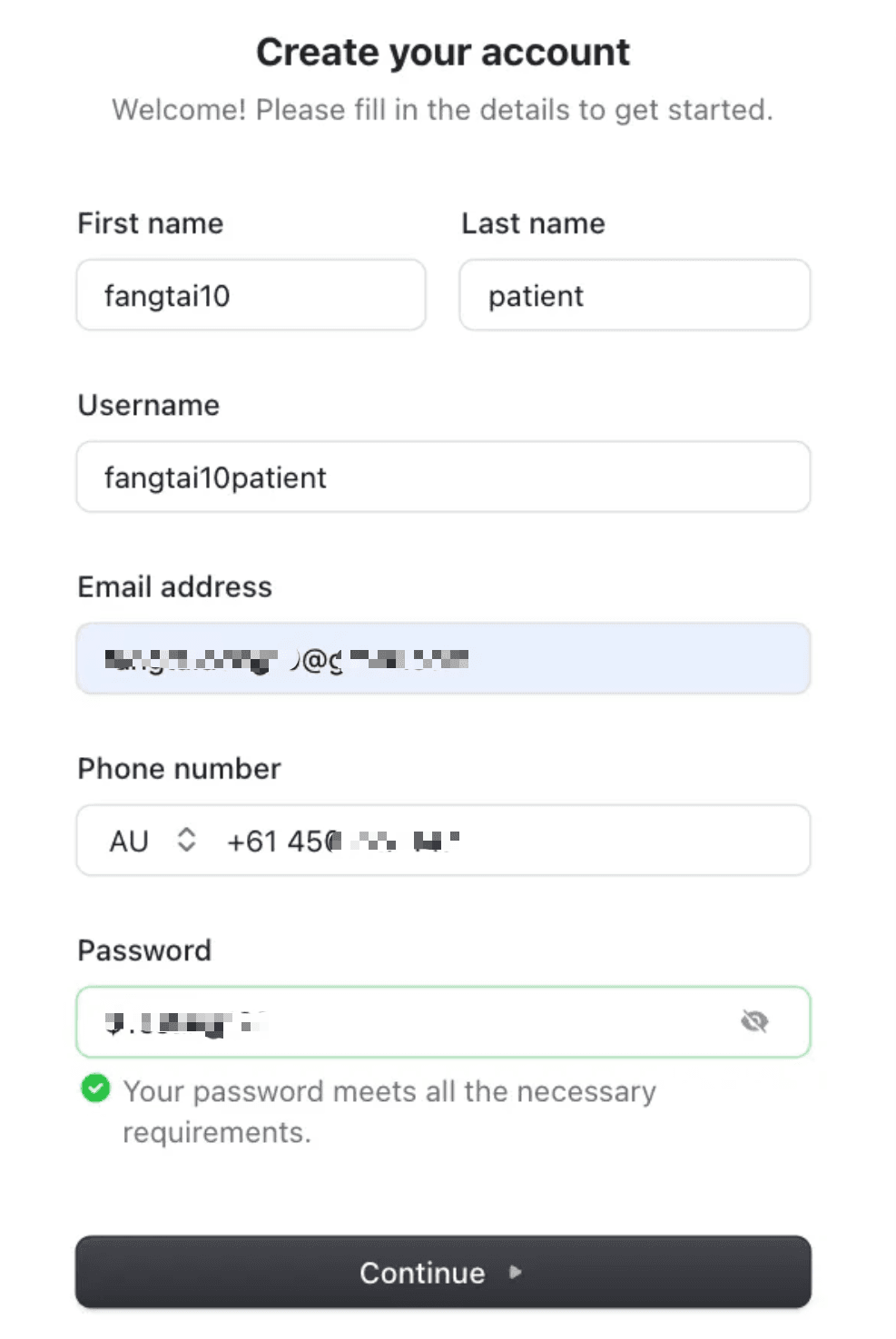
Patient Self-Registration
Patients access the clinic-specific URL and click "Sign up":
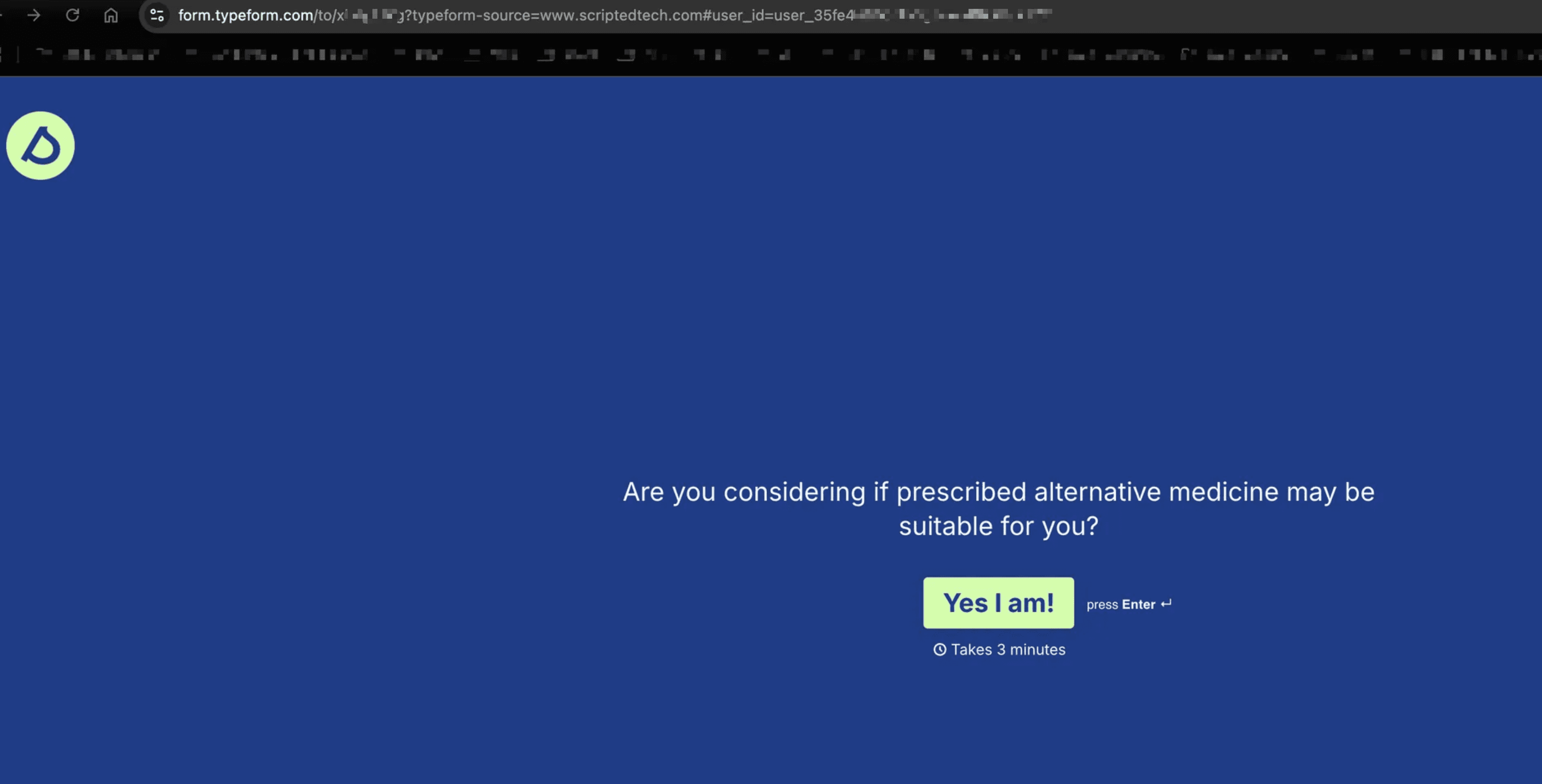
Complete Typeform
After signing up, patients are redirected to complete the clinic's Typeform.
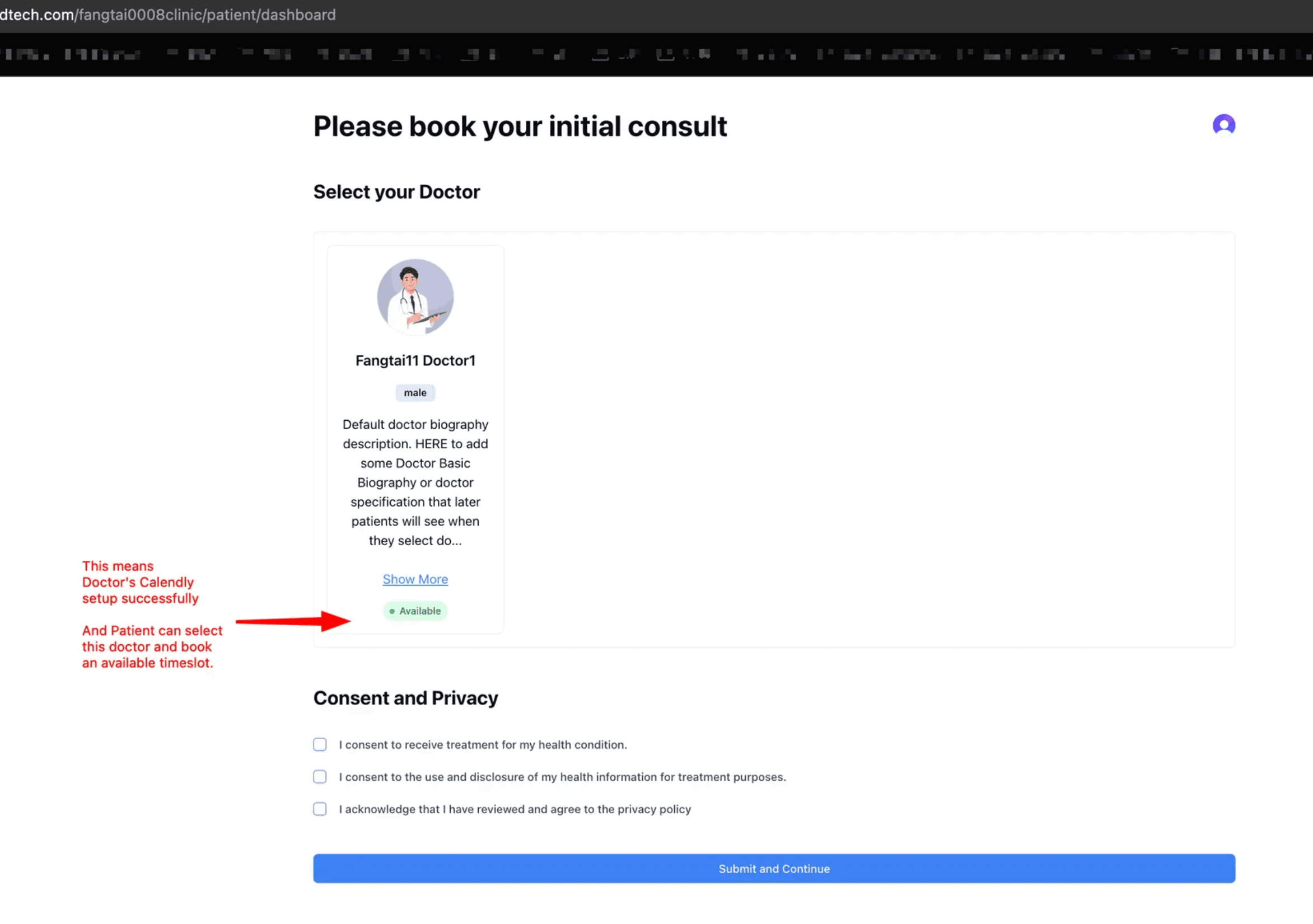
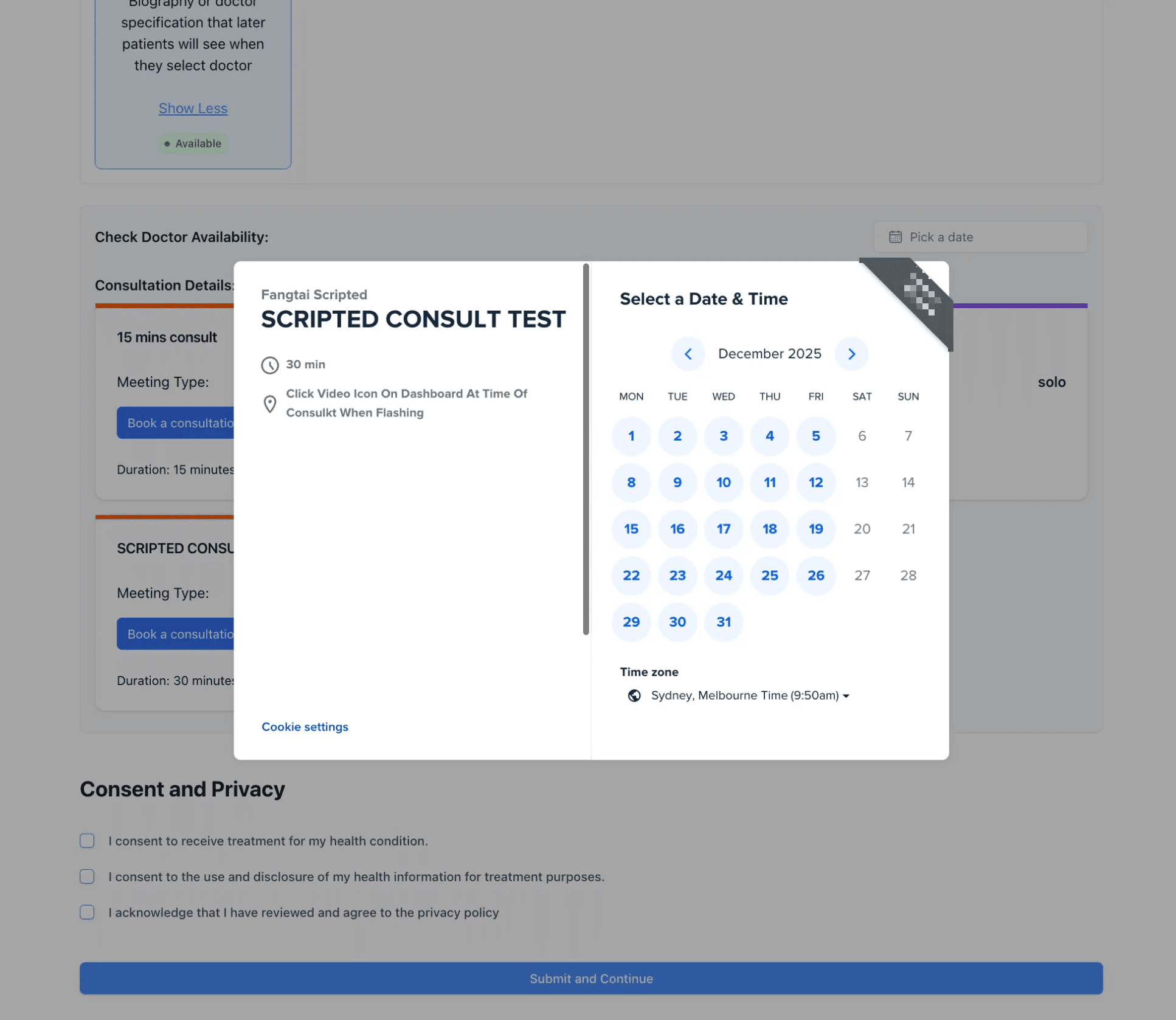
Book Initial Consultation
After completing the Typeform, patients book their initial consultation:
When "Book Consultation" is clicked:
- Scripted gathers patient Q&A via webhook
- Stores patient role and clinic data in Clerk User
- Redirects to patient dashboard
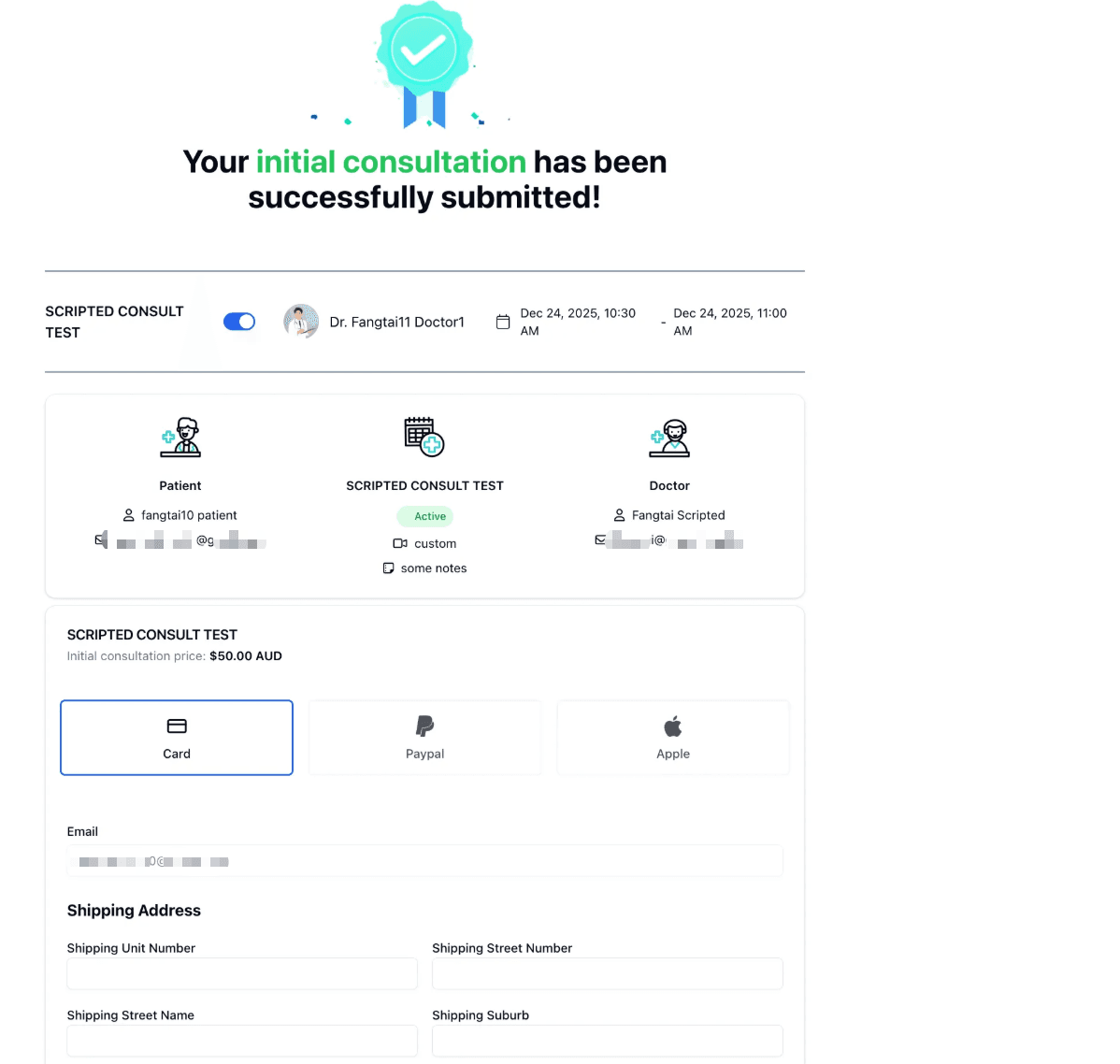
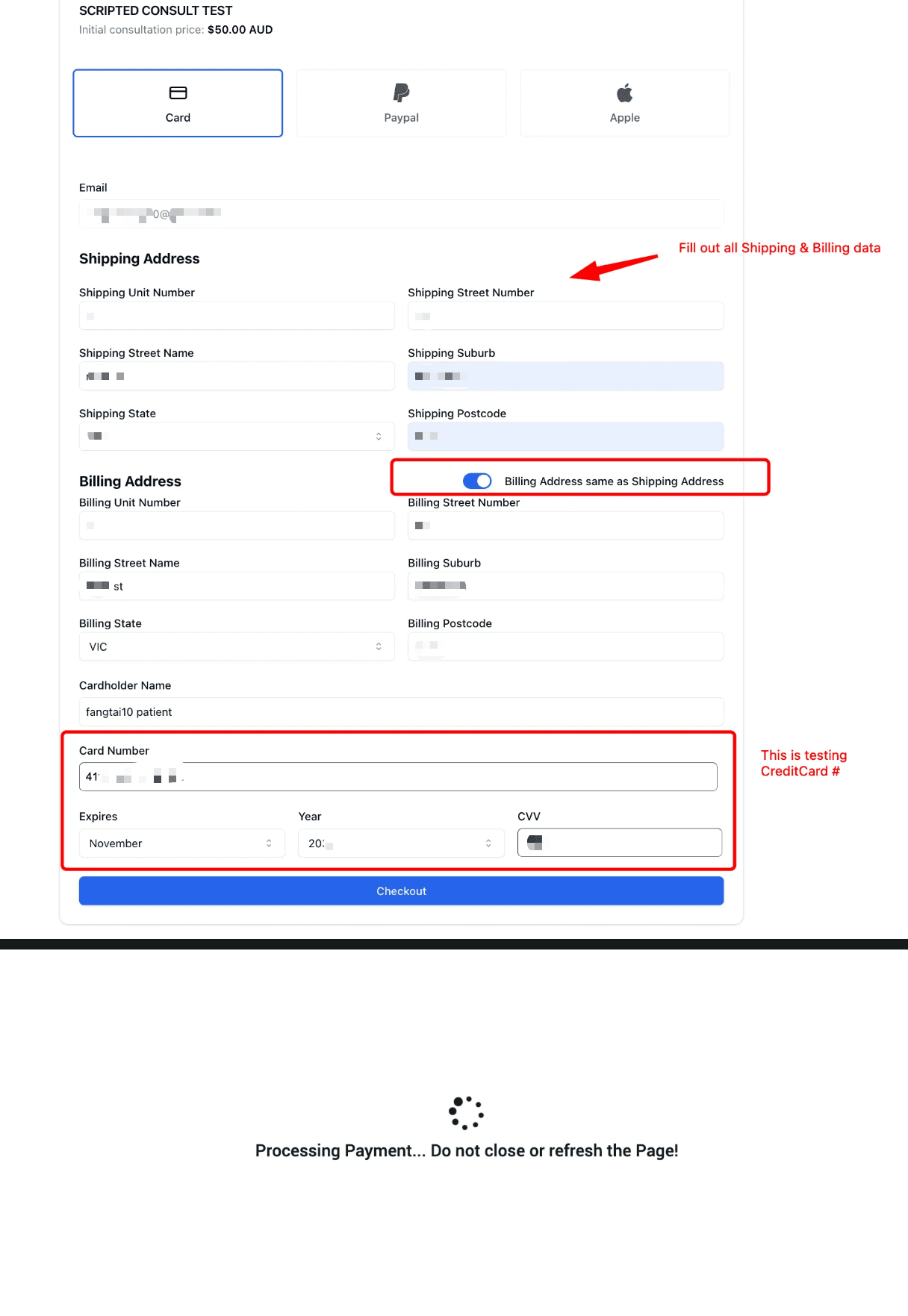
Pay for Consultation
Patient pays for the consultation via Till Payment:
Example: If clinic set $100/hr rate, a 30-min consultation costs $50 AUD.
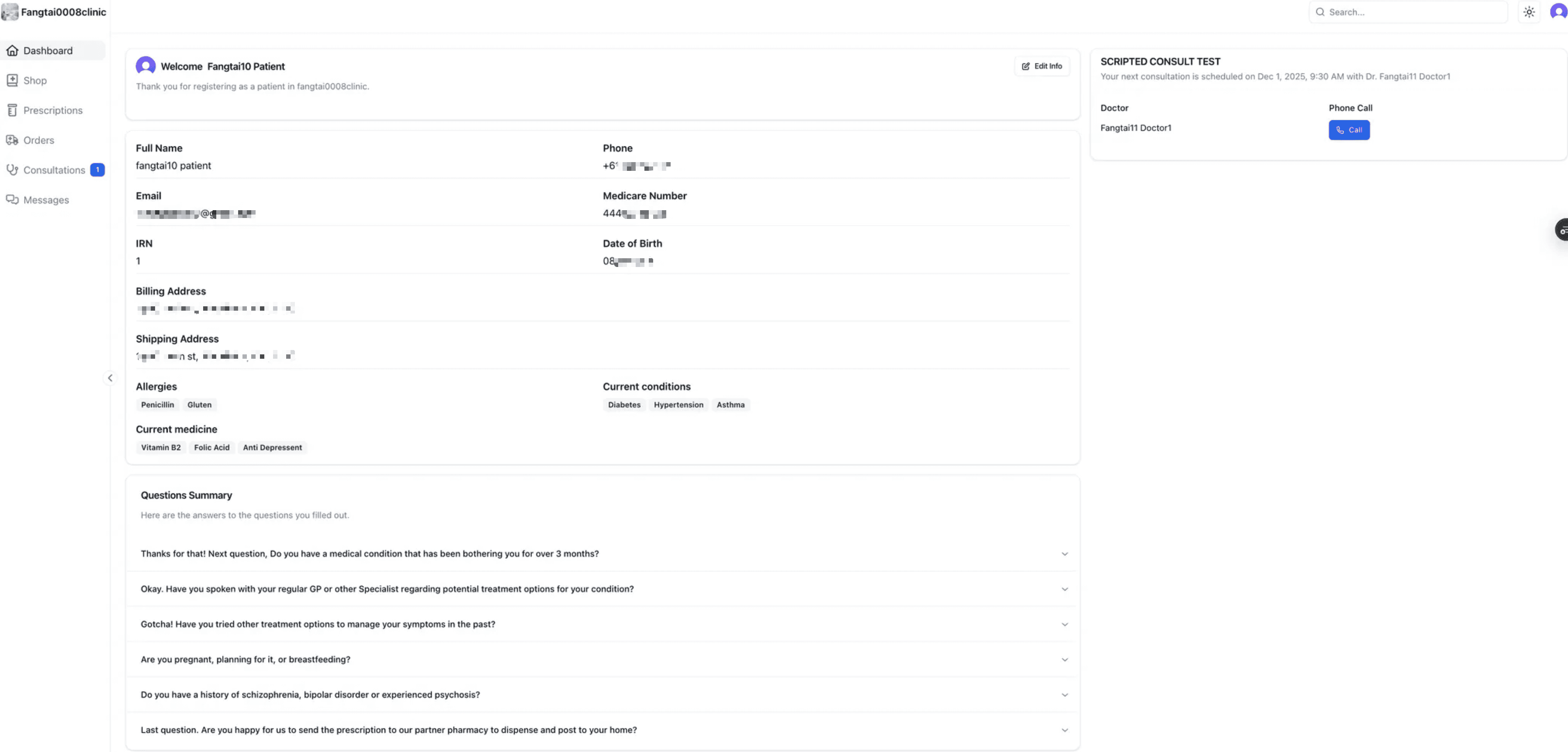
Access Patient Dashboard
After payment, patients access their personal dashboard with:
- Upcoming consultations
- Prescriptions
- Orders
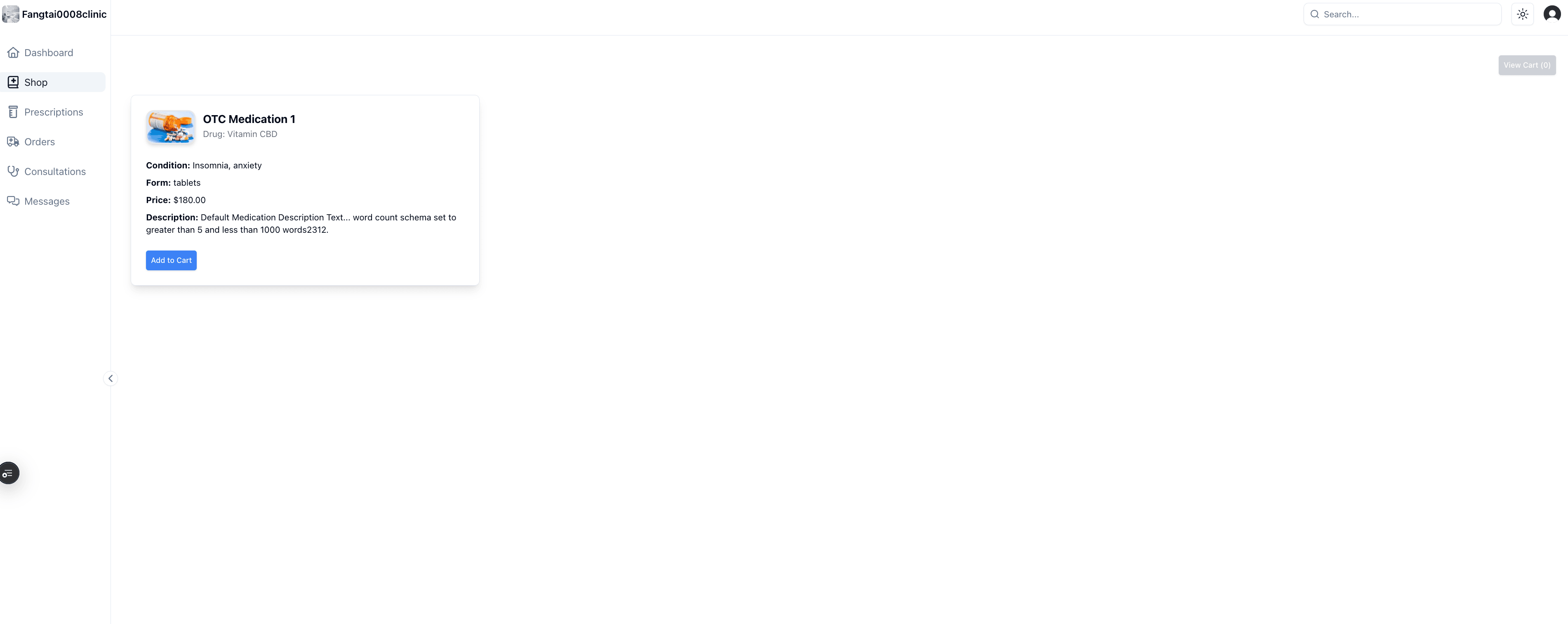
- Shop (OTC products)
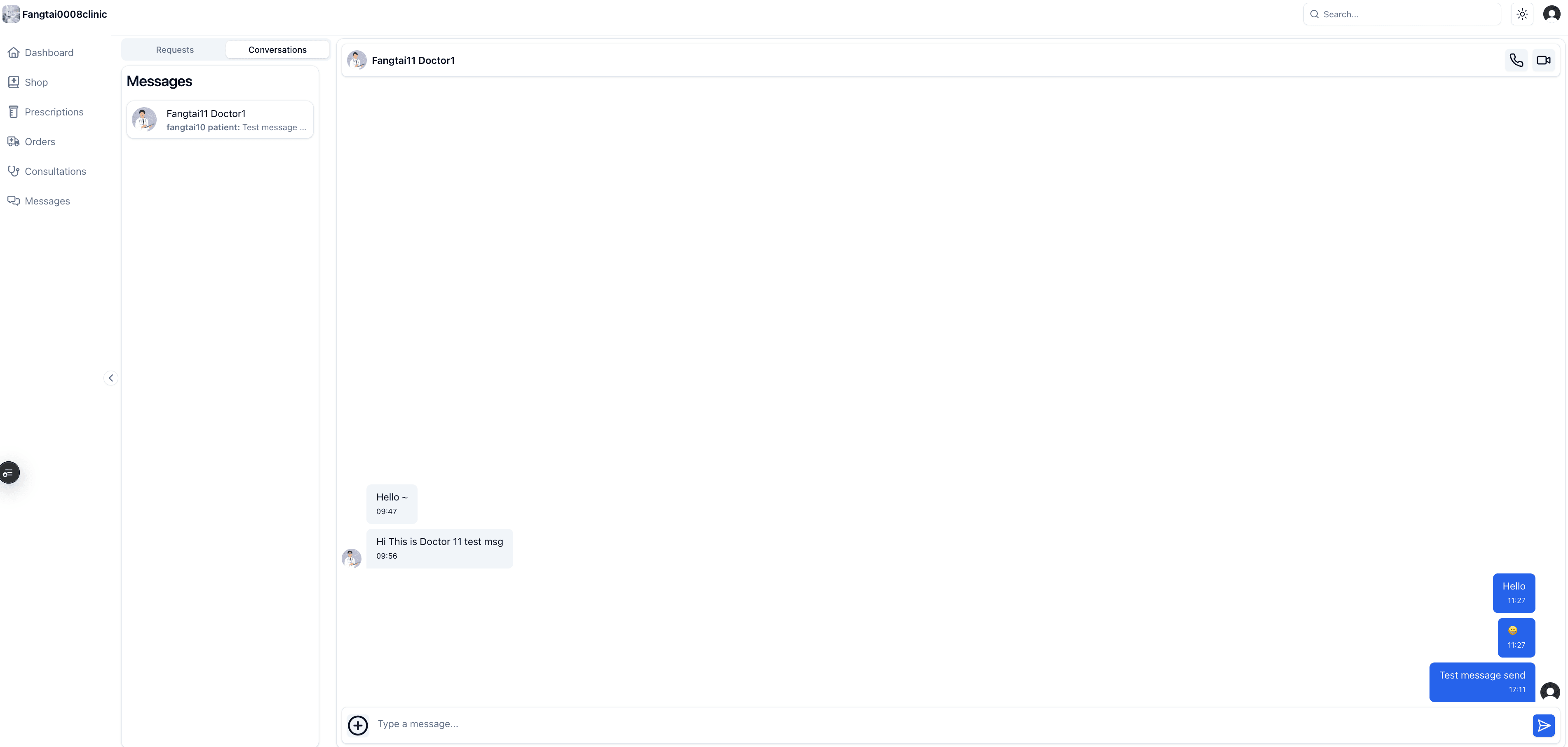
- Messages with doctors
Message Doctors
Patients can send message requests to their assigned doctors.
Need Help?
For technical support or questions about the onboarding process, please contact our team.